TestFlight feedback that becomes triageable work
TestFlight feedback includes screenshots, comments and crash feedback collected through Apple’s beta-testing workflow.
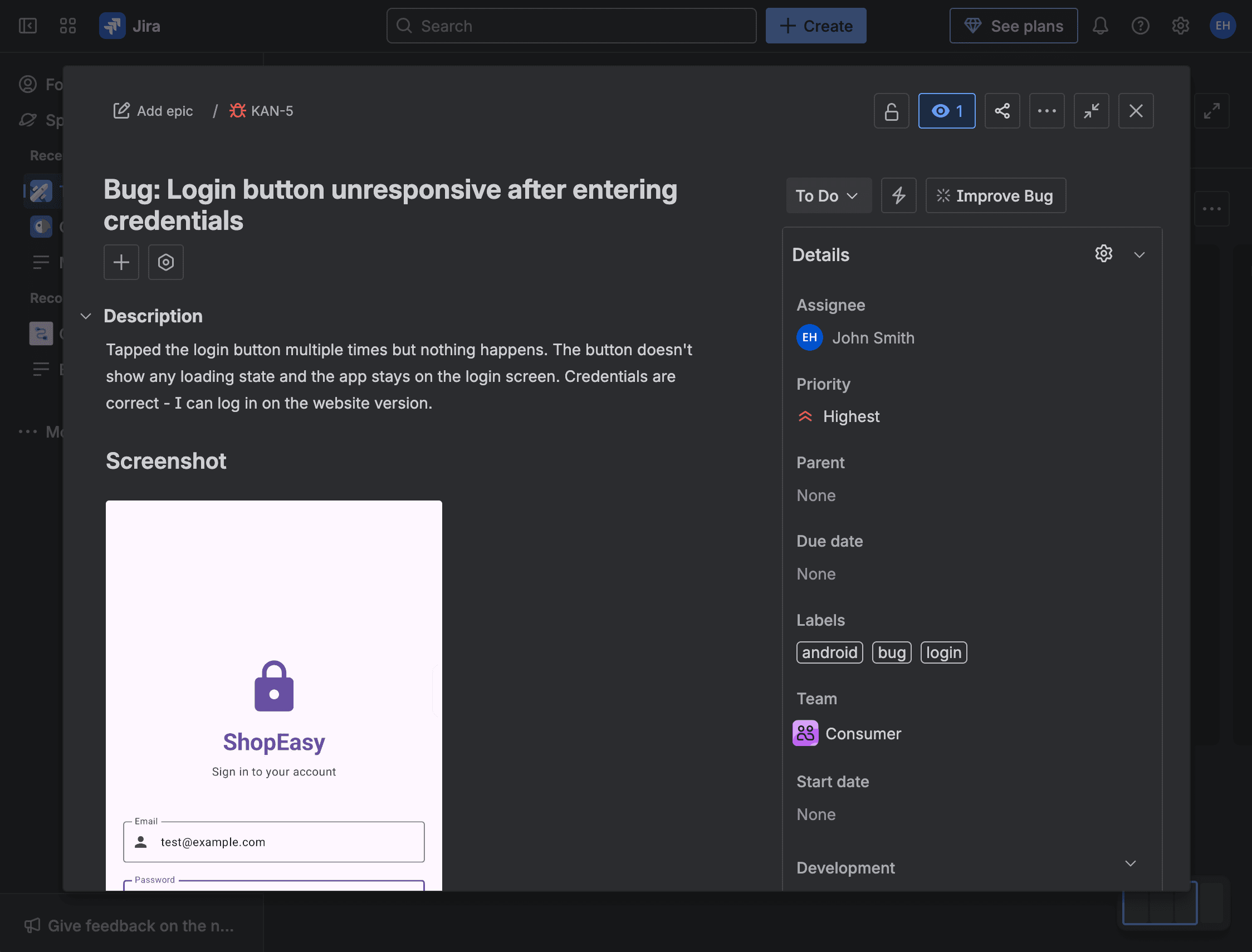
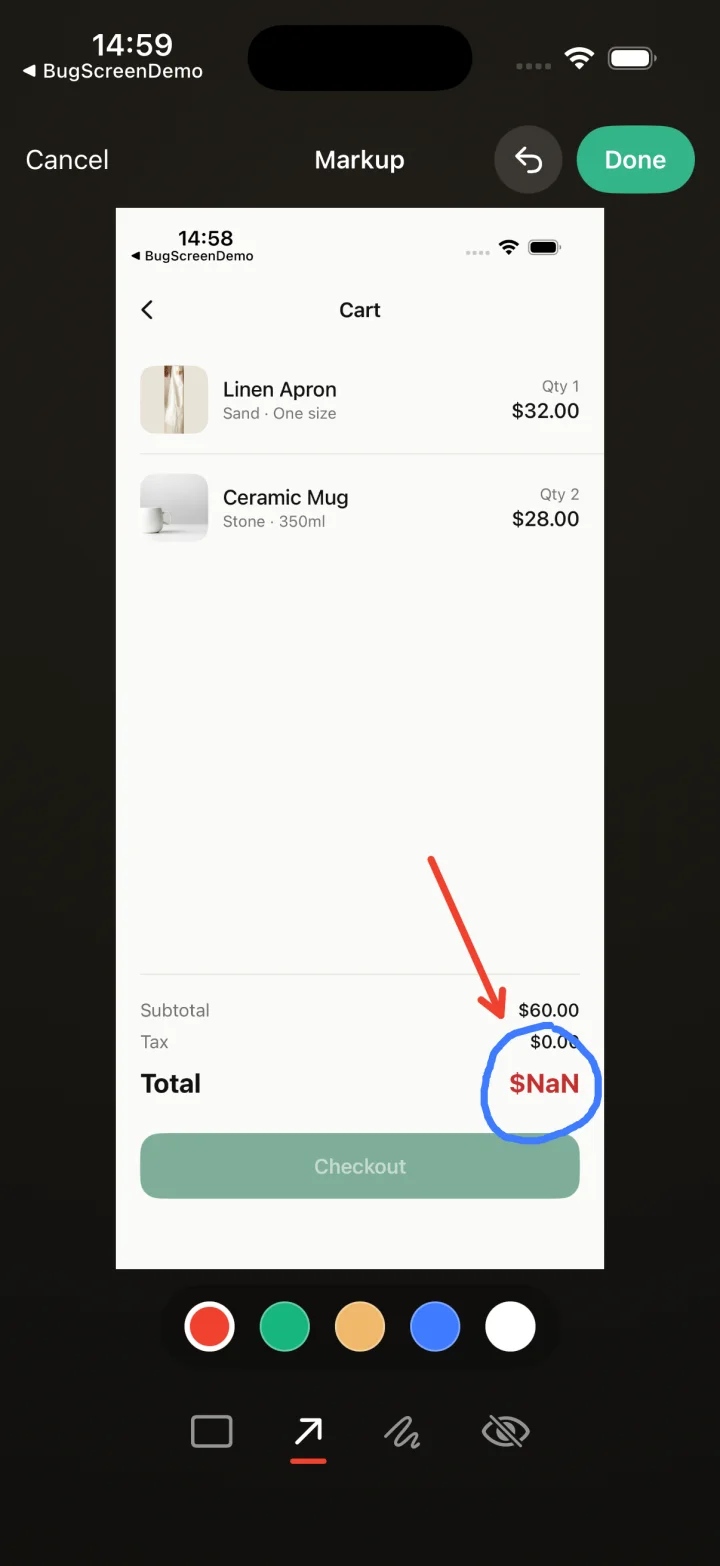
Screenshot to ticket, in three steps.
- Step 1
A tester takes a screenshot
The SDK detects the screenshot and opens a native report form with the image already attached — no shake gesture, no separate app.
- Step 2
Context is attached automatically
Device, OS, app version, locale and recent application logs are packaged with the report so engineers can reproduce it.
- Step 3
It reaches your team
The report is preserved in the private Report Inbox, and connected integrations can also create work in Jira, GitHub, ClickUp or Linear or post to Slack.
Keep TestFlight doing the distribution job
BugScreen complements that native path when your team wants one in-app issue-reporting flow across platforms, a private Report Inbox and optional delivery into the tracker where engineering plans fixes.
TestFlight remains the way you invite iOS testers, deliver builds and receive Apple’s native screenshot, comment and crash feedback. BugScreen does not replace those facilities; it adds a consistent issue-intake path for teams that also test Android or want reports routed into their existing engineering workflow.
Choose the evidence level that fits the beta
With the iOS SDK, a submitted issue can include screenshots, app version and build, device and OS details, locale, memory information, recent application logs and app-supplied custom context. The no-code companion app can capture screenshots and tester-entered details, but it cannot attach the tested app’s logs or build metadata.
Turn one observation into one owned issue
Report Inbox preserves the submission for 30 days on Free or 1 year on paid plans. A configured Jira, GitHub, ClickUp or Linear integration can also create the durable work item, while Slack can notify the team, so triage happens alongside the rest of the release backlog.
Use different tools for different signals
Use TestFlight and crash tooling for platform delivery and failures, surveys for sentiment and feature voting for demand. Use BugScreen when a tester notices a specific visual, behavioural or account-dependent problem and needs to explain it to engineering.
Built for the mobile QA loop.
The human signal telemetry misses
Crash and error tools watch the software. BugScreen captures the visual, behavioural and UX bugs a tester notices and deliberately reports.
Mobile context, attached
Device, OS, app version and logs are packaged automatically so engineers can reproduce the issue fast.
Inbox and tracker delivery
Report Inbox preserves submissions, and integrations can also create work in Jira, GitHub, ClickUp or Linear or notify Slack.
Common questions
Does BugScreen replace TestFlight feedback?
No. TestFlight already accepts screenshot, comment and crash feedback. BugScreen is a complementary issue-reporting route for teams that want cross-platform consistency, Report Inbox and optional tracker delivery.
Can TestFlight testers report without an issue-tracker account?
Yes. Testers report from the beta app through the SDK or use the companion app without Jira, GitHub, ClickUp or Linear access. The connected integration creates the work item for them.
What does the no-code companion route capture?
The companion app captures screenshots and context the tester enters. Because it runs outside the tested app, it does not capture that app’s logs or build metadata.
Standardise each report
Beta test issue template generatorPlan the beta
Mobile beta testing checklistTry BugScreen on your app.
Screenshot → ticket in your issue tracker, with logs and device context. Free to start — no credit card.
Get started