Mobile QA bug reporting that starts with a screenshot
QA bug reporting is how your testers turn a problem they hit in a build into work your engineers can act on.
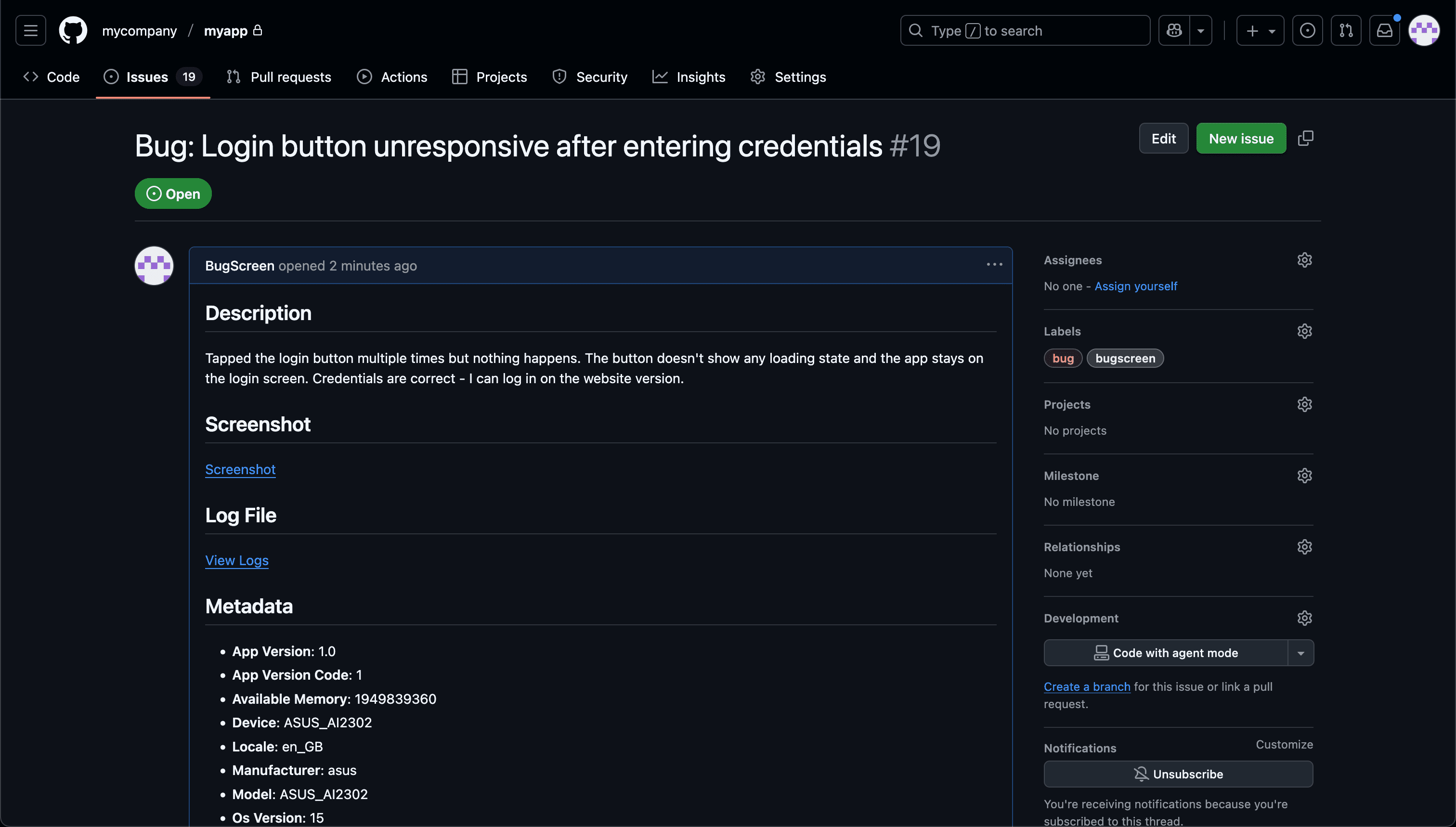
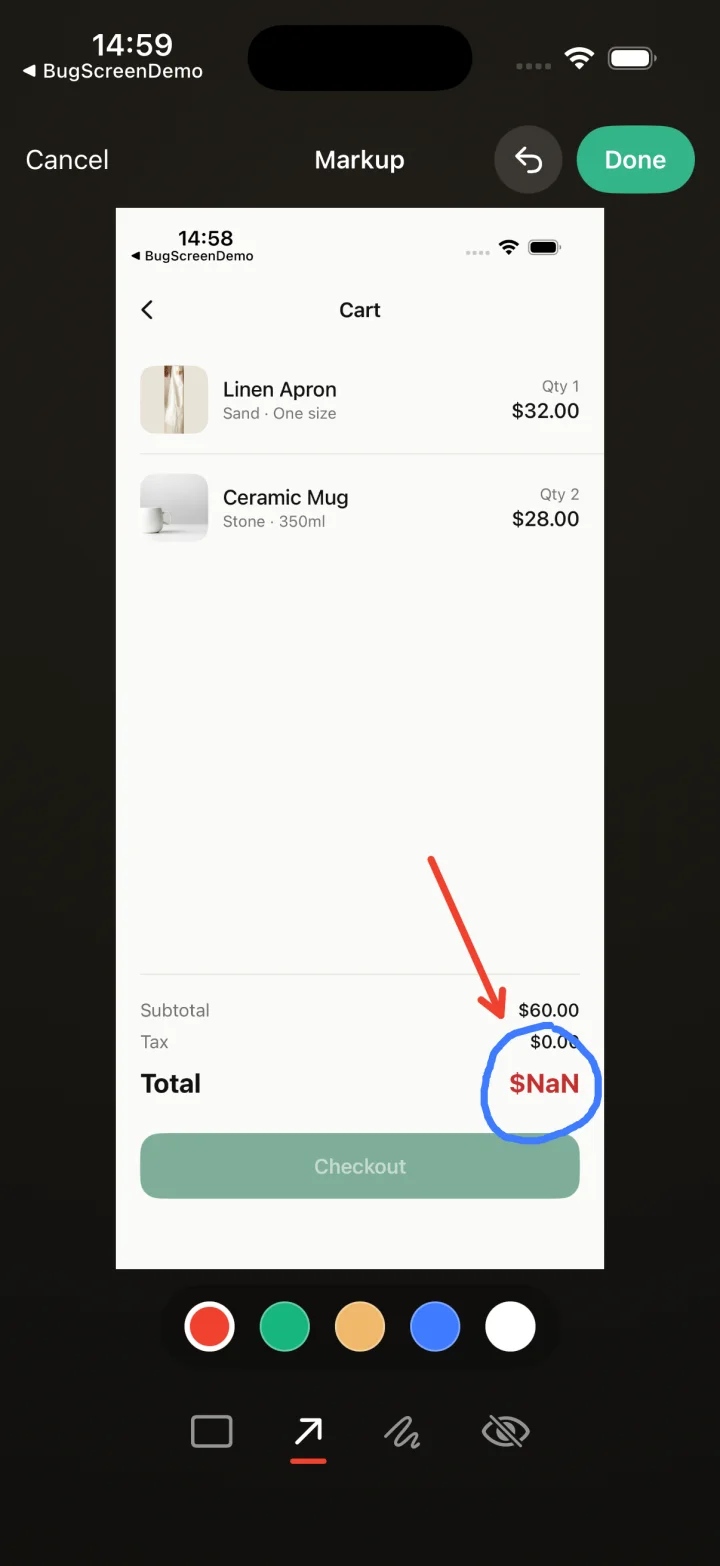
Screenshot to ticket, in three steps.
- Step 1
A tester takes a screenshot
The SDK detects the screenshot and opens a native report form with the image already attached — no shake gesture, no separate app.
- Step 2
Context is attached automatically
Device, OS, app version, locale and recent application logs are packaged with the report so engineers can reproduce it.
- Step 3
It reaches your team
The report is preserved in the private Report Inbox, and connected integrations can also create work in Jira, GitHub, ClickUp or Linear or post to Slack.
Stop chasing repro steps
BugScreen makes that loop fast on mobile: a tester screenshots the bug, adds a note, and the report appears in a private Inbox with the context needed to reproduce it, with optional forwarding to the tools your team already uses.
The hardest part of triage is reproducing what a tester saw. BugScreen attaches the device, OS, app version, locale, and recent application logs to every report automatically, so an engineer opens a ticket with the context already in it instead of a screenshot and a sentence.
Reports land where you already triage
Testers file through one fast form. Report Inbox keeps a private copy for 30 days on Free or 1 year on paid plans, and connected integrations can also create an issue in Jira, GitHub, or ClickUp — with a Slack heads-up if you want one — so QA work reaches the sprint board you already run. You can start free on 1 app with no credit card.
Built for pre-release mobile QA
BugScreen is deliberately narrow: it captures bugs from a screenshot during internal testing, not crashes in production or session replays. That focus is why it is quick for a tester to file a report and quick for you to read one — it does the one job a QA cycle needs and gets out of the way.
Built for the mobile QA loop.
The human signal telemetry misses
Crash and error tools watch the software. BugScreen captures the visual, behavioural and UX bugs a tester notices and deliberately reports.
Mobile context, attached
Device, OS, app version and logs are packaged automatically so engineers can reproduce the issue fast.
Inbox and tracker delivery
Report Inbox preserves submissions, and integrations can also create work in Jira, GitHub, ClickUp or Linear or notify Slack.
Common questions
Do testers need a separate app to report a bug?
No. Testers report from inside the build they are already testing. Taking a screenshot opens the report form with the image attached, so there is nothing extra to install or launch.
Where do QA bug reports go?
Each accepted report stays in Report Inbox privately for 30 days on Free or 1 year on paid plans. Connected integrations can also create a ticket in Jira, GitHub, or ClickUp or post to Slack.
Which platforms are supported?
iOS, Android, and React Native, via native SDKs. Screenshot detection uses each platform’s own APIs, so testers get the same in-app reporting flow everywhere.
Try BugScreen on your app.
Screenshot → ticket in your issue tracker, with logs and device context. Free to start — no credit card.
Get started