Bug reporting for remote QA and engineering handoffs
Remote QA bug reporting is what keeps a distributed team fast when testers and engineers never share working hours.
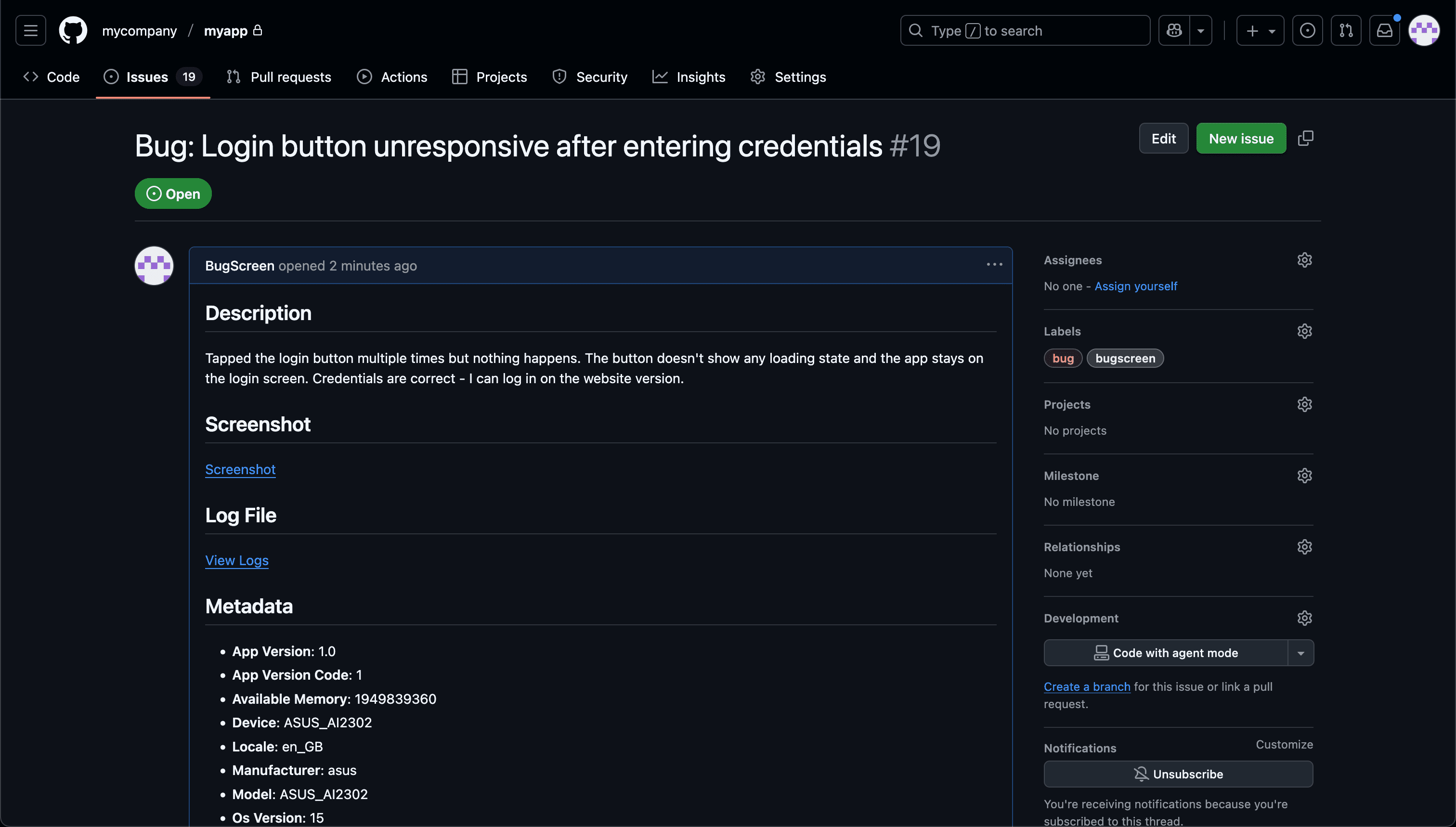
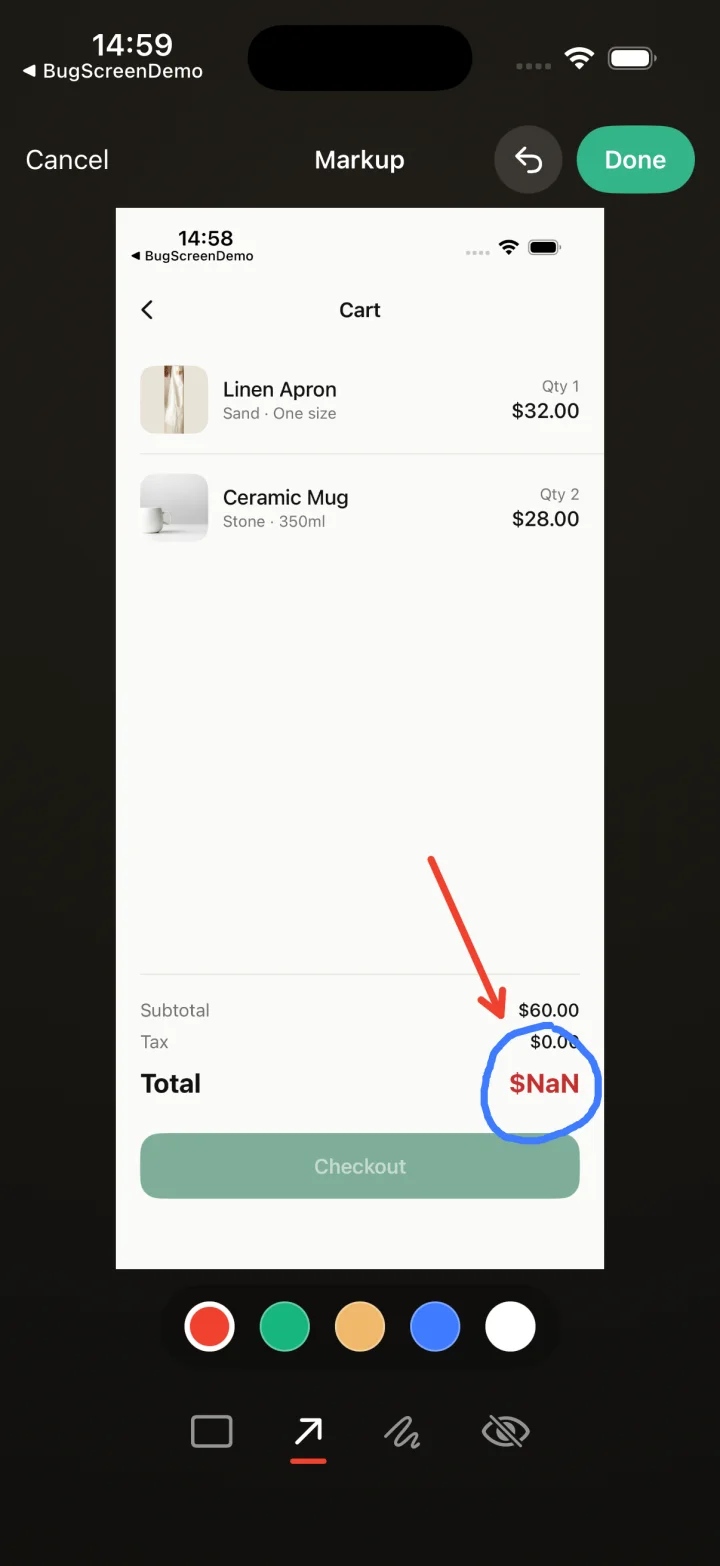
Screenshot to ticket, in three steps.
- Step 1
A tester takes a screenshot
The SDK detects the screenshot and opens a native report form with the image already attached — no shake gesture, no separate app.
- Step 2
Context is attached automatically
Device, OS, app version, locale and recent application logs are packaged with the report so engineers can reproduce it.
- Step 3
It reaches your team
The report is preserved in the private Report Inbox, and connected integrations can also create work in Jira, GitHub, ClickUp or Linear or post to Slack.
A round-trip across timezones costs a day
When QA and engineering sit in different timezones, every “what build? what device?” round-trip costs a full day — so BugScreen attaches that context up front, letting the engineer pick up a reproducible ticket the moment their day starts.
When a question to the tester will not be answered until tomorrow, an incomplete report stalls for 24 hours. BugScreen removes the question entirely: the device, OS, app version, locale, and recent logs travel with the screenshot, so the handoff carries everything the engineer needs on the first pass.
Async by default, not by accident
Distributed teams work asynchronously whether they plan to or not. Because a report is complete when it is filed, triage does not depend on catching the reporter online — the report stands on its own in Report Inbox and in any connected Jira, GitHub, or ClickUp project.
The same report, every region
Testers in any location use the one screenshot-triggered flow across iOS, Android, and React Native. Reports appear in the shared Report Inbox and can also be forwarded to the tracker your engineers already plan from, without region-specific capture tooling to reconcile.
Built for the mobile QA loop.
The human signal telemetry misses
Crash and error tools watch the software. BugScreen captures the visual, behavioural and UX bugs a tester notices and deliberately reports.
Mobile context, attached
Device, OS, app version and logs are packaged automatically so engineers can reproduce the issue fast.
Inbox and tracker delivery
Report Inbox preserves submissions, and integrations can also create work in Jira, GitHub, ClickUp or Linear or notify Slack.
Common questions
Why is bug reporting harder for remote QA teams?
When QA and engineering are in different timezones, any missing detail becomes a day-long wait for the answer. The cost of a vague report is measured in round-trips, and each round-trip is a working day lost across the handoff.
Do testers and engineers need to be online at the same time?
No. A report is fully formed when filed — screenshot, description, device, and logs — so an engineer can act on it hours later without going back to the tester. The workflow is asynchronous by design.
Where do remote testers’ reports end up?
Accepted reports stay in Report Inbox privately for 30 days on Free or 1 year on paid plans. Connected Jira, GitHub or ClickUp integrations can also create backlog items, with an optional Slack notification.
Try BugScreen on your app.
Screenshot → ticket in your issue tracker, with logs and device context. Free to start — no credit card.
Get started