File bugs to Jira straight from your mobile app
Filing bugs to Jira from a mobile app usually means a tester messaging someone who then re-types the issue into Jira by hand.
Screenshot to ticket, in three steps.
- Step 1
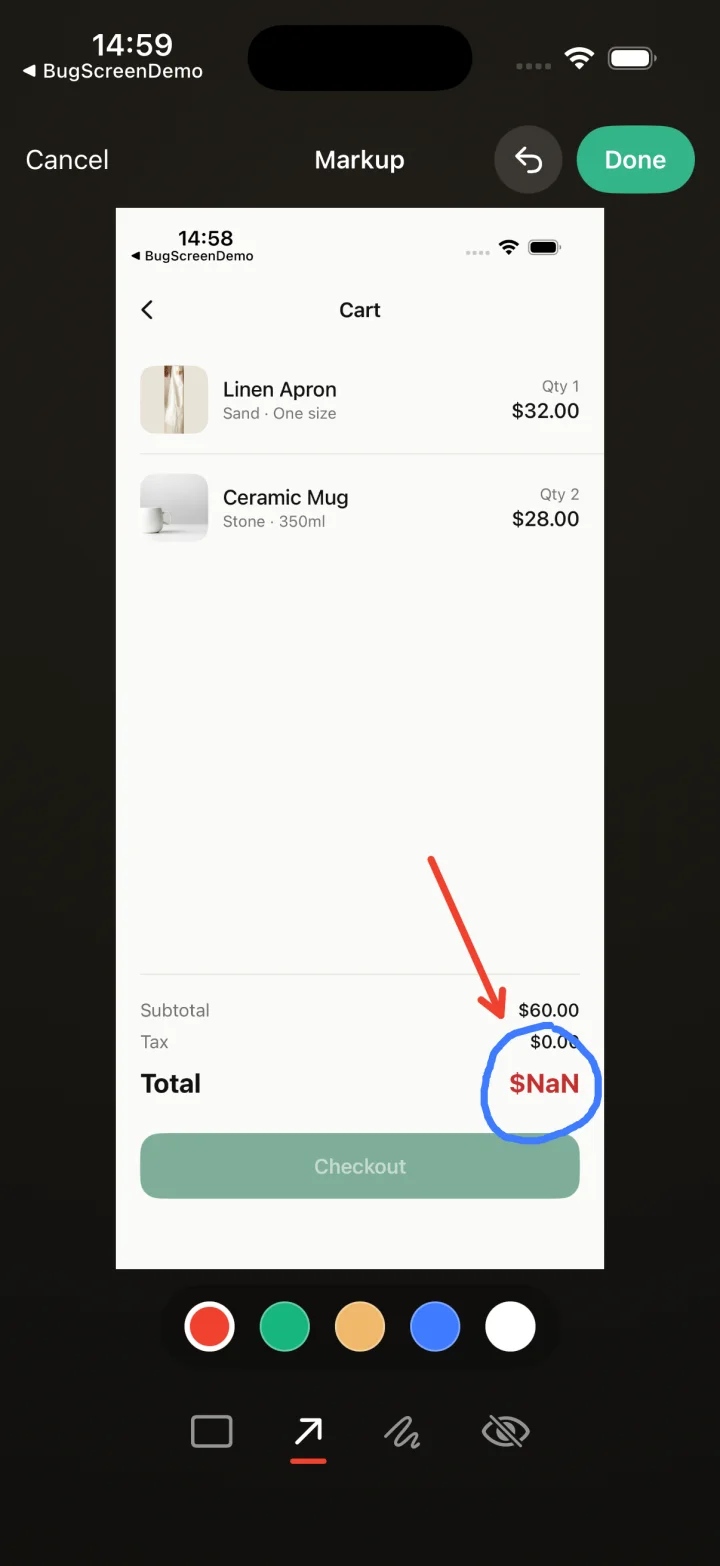
A tester takes a screenshot
The SDK detects the screenshot and opens a native report form with the image already attached — no shake gesture, no separate app.
- Step 2
Context is attached automatically
Device, OS, app version, locale and recent application logs are packaged with the report so engineers can reproduce it.
- Step 3
It reaches your team
The report is preserved in the private Report Inbox, and connected integrations can also create work in Jira, GitHub, ClickUp or Linear or post to Slack.
Straight into your Jira project
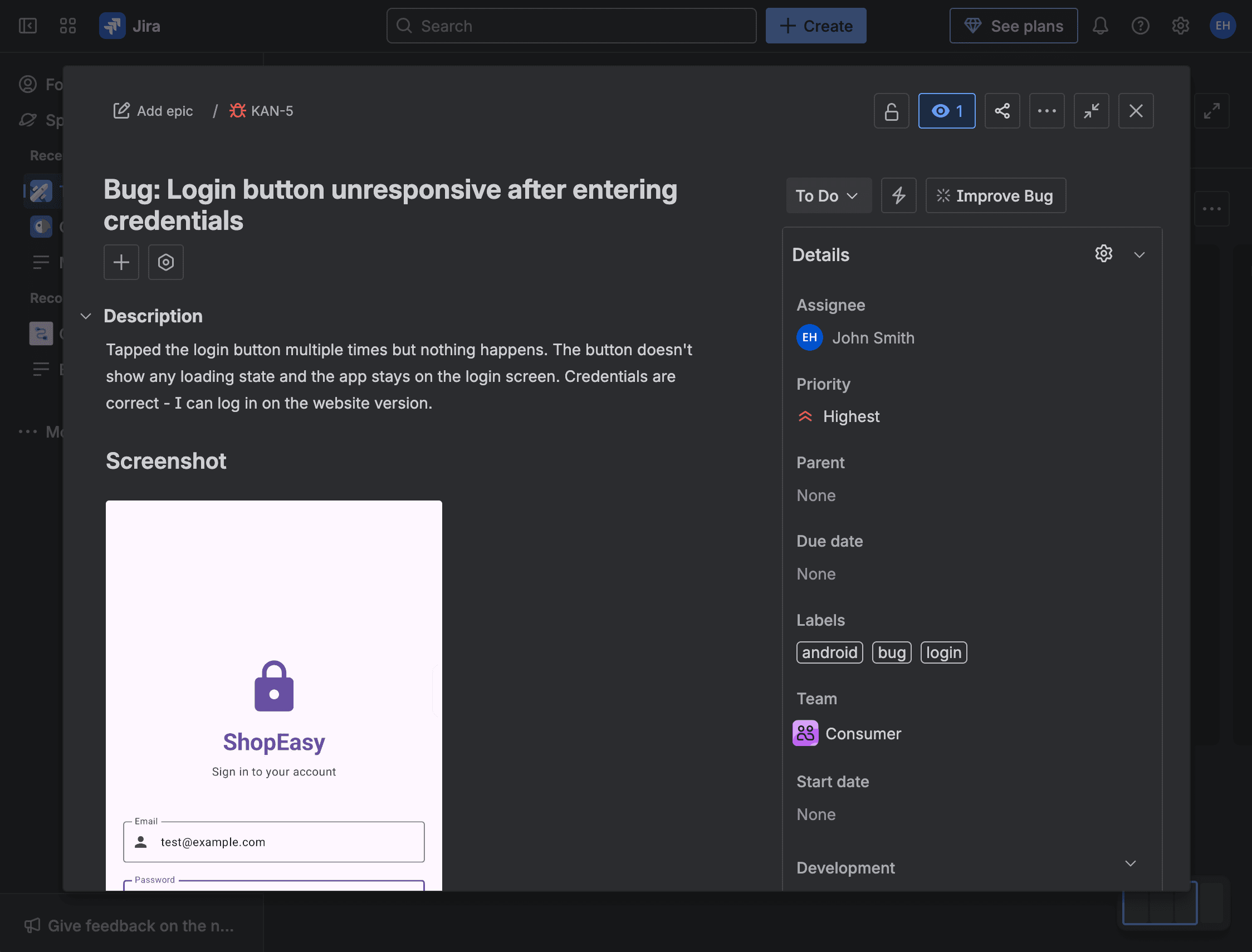
BugScreen removes that step: a tester screenshots the bug in your app, and BugScreen creates the Jira issue directly — description, screenshot, device details, and logs included.
Reports arrive as Jira issues with the screenshot attached and the logs added as a collapsed comment, formatted for Jira rather than dumped as plain text. Your testers never need Jira access themselves — the SDK does the handoff, so bugs land in the project your engineers already plan from.
GitHub and ClickUp, the same way
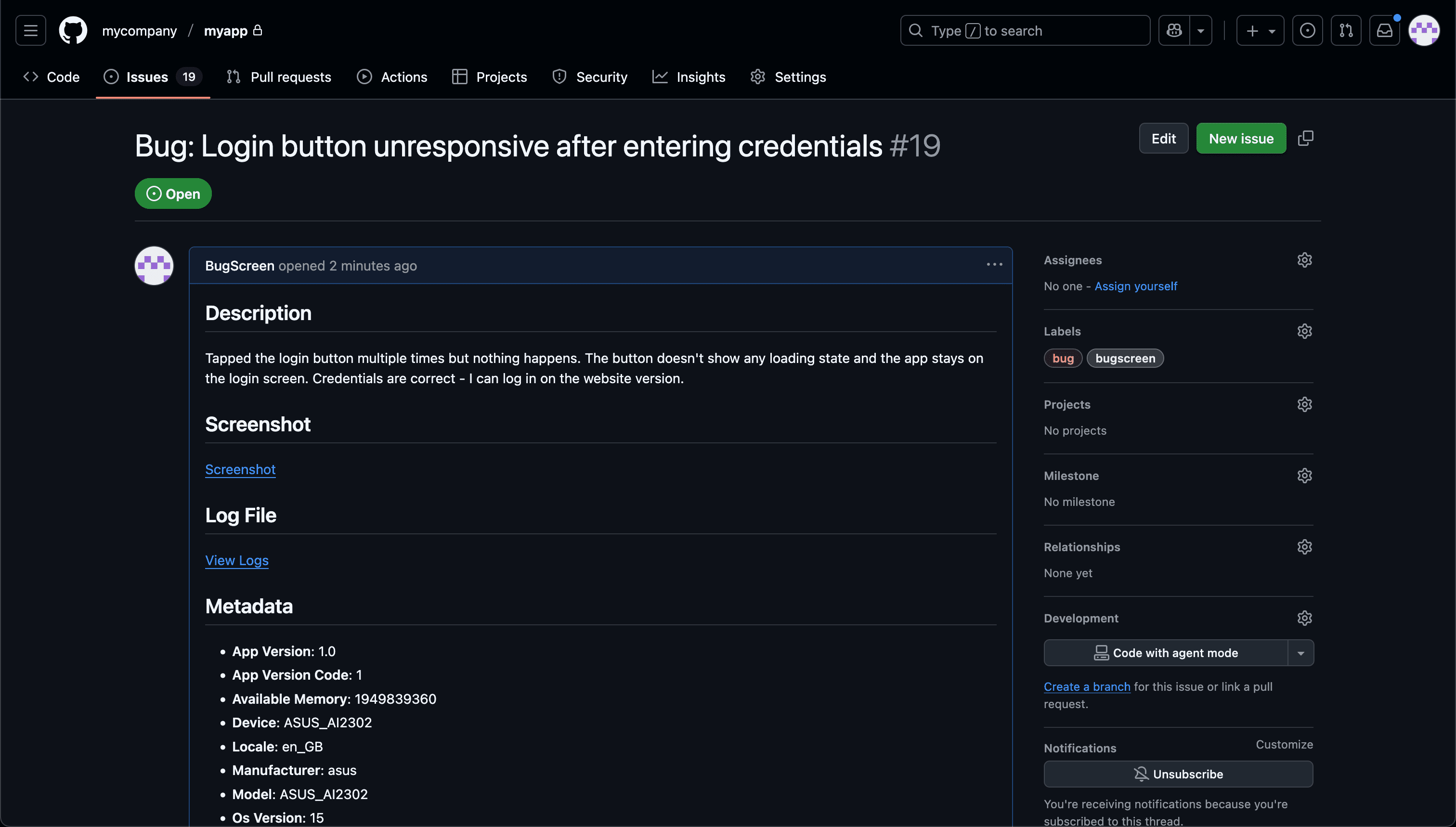
Jira is not the only destination. The same screenshot-to-ticket flow files GitHub issues and ClickUp tasks, so a mixed toolchain — Jira for one app, GitHub for another — is a configuration choice, not a compromise. Reports can post to Slack as well.
No webhook glue to maintain
You connect your tracker once and BugScreen keeps the tickets fully formed. There is no middleware to write, no automation service to babysit, and no format that quietly breaks the next time the mobile team ships a new build.
Built for the mobile QA loop.
The human signal telemetry misses
Crash and error tools watch the software. BugScreen captures the visual, behavioural and UX bugs a tester notices and deliberately reports.
Mobile context, attached
Device, OS, app version and logs are packaged automatically so engineers can reproduce the issue fast.
Inbox and tracker delivery
Report Inbox preserves submissions, and integrations can also create work in Jira, GitHub, ClickUp or Linear or notify Slack.
Common questions
Do my testers need Jira accounts?
No. BugScreen files the Jira issue on the app’s behalf, so testers report from inside your app without ever touching Jira. Only the integration needs to be connected, which an admin does once.
Can different apps file to different trackers?
Yes. Each app can be pointed at Jira, GitHub, or ClickUp independently, so teams with a mixed toolchain keep each app’s bugs in the right place.
What is attached to the Jira issue?
The tester’s description, the screenshot(s), and the device, OS, and app-version context, with the recent logs added as a collapsed comment so the issue stays readable.
Try BugScreen on your app.
Screenshot → ticket in your issue tracker, with logs and device context. Free to start — no credit card.
Get started