UAT bug reporting for the people who spotted the problem
UAT bug reporting turns problems found by stakeholders and non-technical testers into work an engineering team can triage.
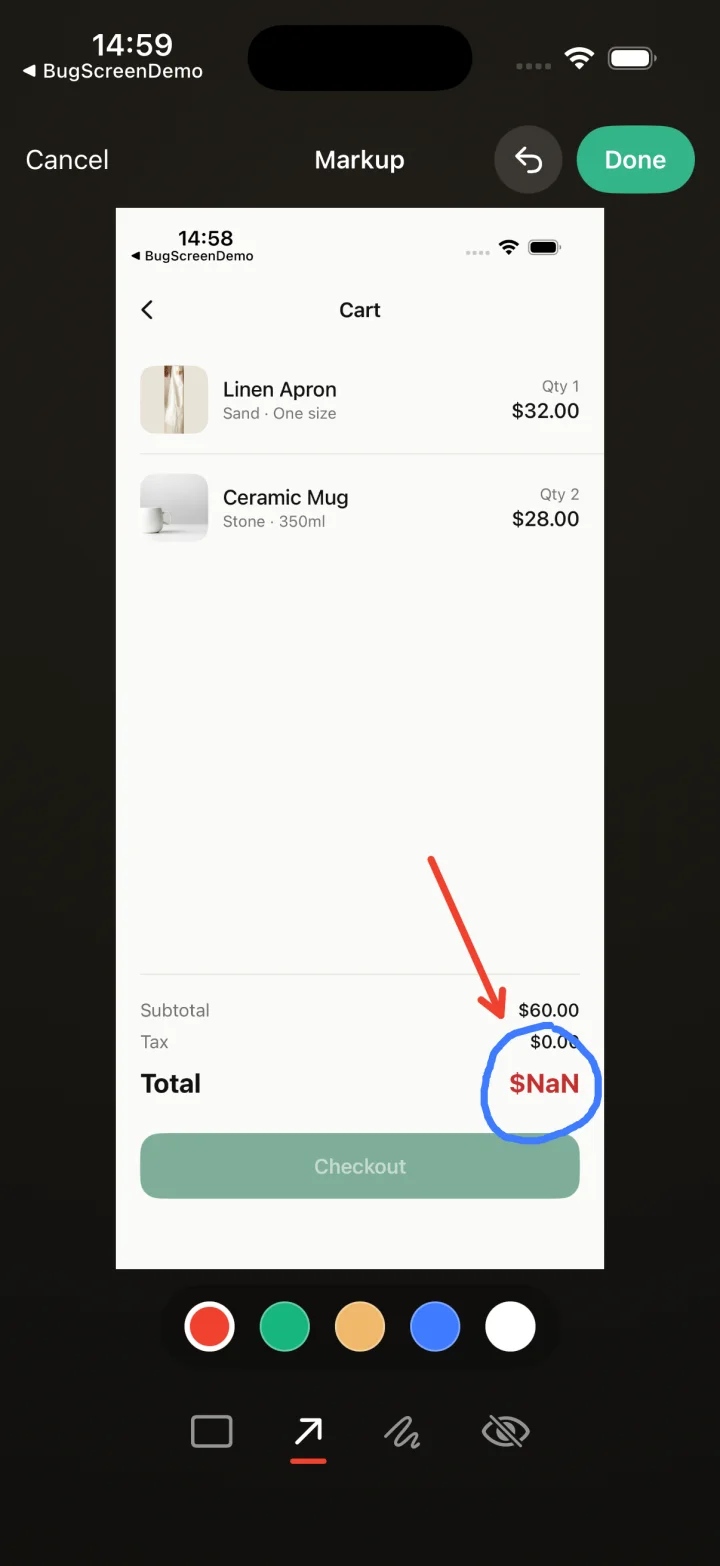
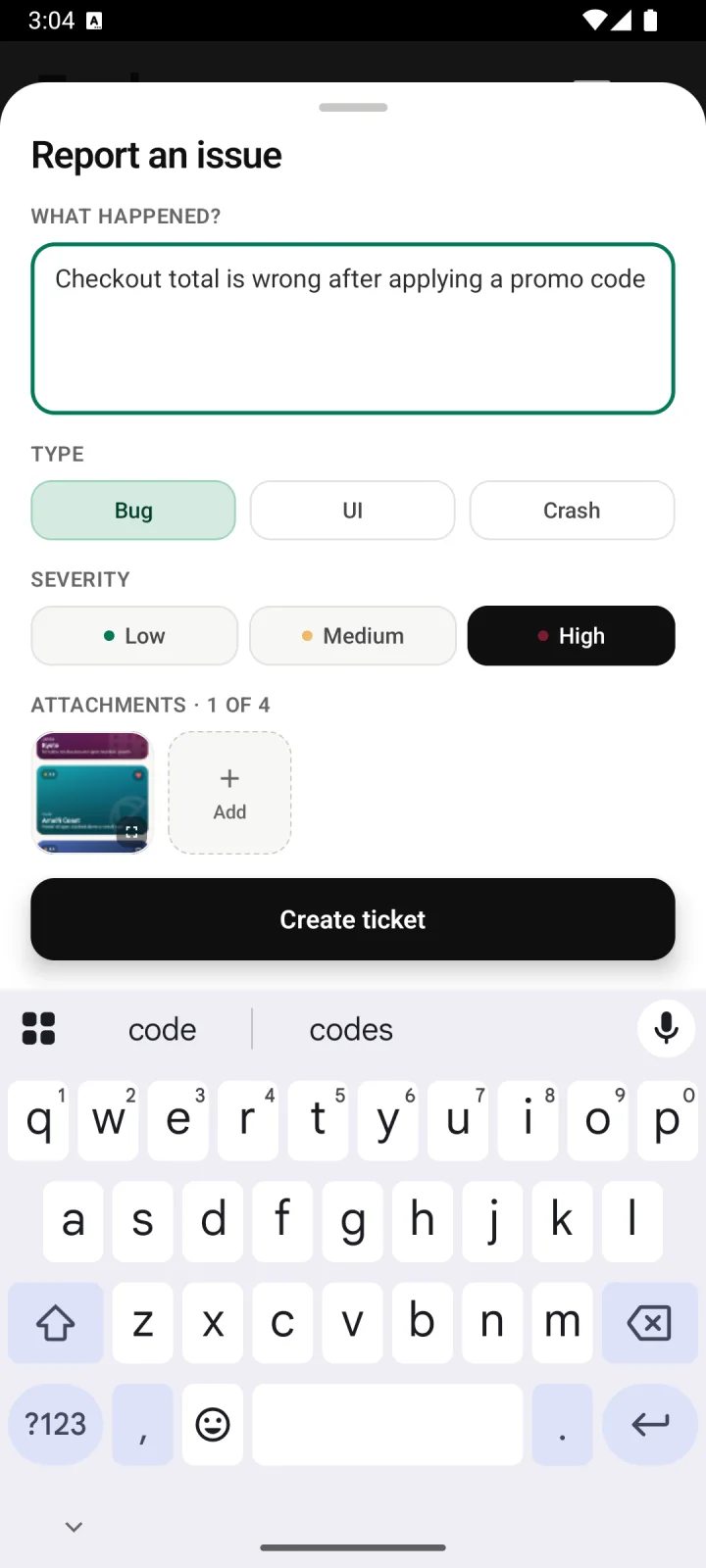
Screenshot to ticket, in three steps.
- Step 1
A tester takes a screenshot
The SDK detects the screenshot and opens a native report form with the image already attached — no shake gesture, no separate app.
- Step 2
Context is attached automatically
Device, OS, app version, locale and recent application logs are packaged with the report so engineers can reproduce it.
- Step 3
It reaches your team
The report is preserved in the private Report Inbox, and connected integrations can also create work in Jira, GitHub, ClickUp or Linear or post to Slack.
Make the useful action the easy action
BugScreen keeps that handoff small: the reporter takes a screenshot, adds a short description, and sends the issue to your existing tracker without learning its fields or workflow.
A stakeholder who notices wrong copy, a broken layout, or a confusing flow should not need to know how your team writes tickets. The familiar screenshot gesture opens a short in-app form, so the observation is recorded while the tester still has the app and problem in front of them.
Keep tracker paperwork away from stakeholders
BugScreen creates the Jira issue, GitHub issue, or ClickUp task for the reporter. Your UAT group does not need tracker seats, project access, or a lesson in required fields; engineering receives the report on the board it already triages.
Technical context comes along quietly
The screenshot, device, OS, app version, locale, and recent logs accompany the tester’s own description. Those details do not replace the human observation, but they remove a round of basic environment questions when a developer starts investigating it.
Built for the mobile QA loop.
The human signal telemetry misses
Crash and error tools watch the software. BugScreen captures the visual, behavioural and UX bugs a tester notices and deliberately reports.
Mobile context, attached
Device, OS, app version and logs are packaged automatically so engineers can reproduce the issue fast.
Inbox and tracker delivery
Report Inbox preserves submissions, and integrations can also create work in Jira, GitHub, ClickUp or Linear or notify Slack.
Common questions
What is UAT bug reporting?
UAT bug reporting is the process of recording issues found while business stakeholders or representative users check that a release meets its requirements. The goal is to carry what they noticed into an actionable engineering workflow.
Do UAT testers need access to Jira, GitHub, or ClickUp?
No. They report inside the mobile build and BugScreen creates the tracker item through the connected integration. The tester does not need an account in your engineering tracker.
Does BugScreen write steps to reproduce automatically?
No. Today the tester supplies a short description; BugScreen attaches the screenshot and technical context and handles filing the ticket. It does not claim to auto-generate reproduction steps.
Try BugScreen on your app.
Screenshot → ticket in your issue tracker, with logs and device context. Free to start — no credit card.
Get started