Bug reporting for teams on a regular release train
A release train is a fixed, recurring ship date — and on mobile every departure is a build you cannot roll back once it clears review.
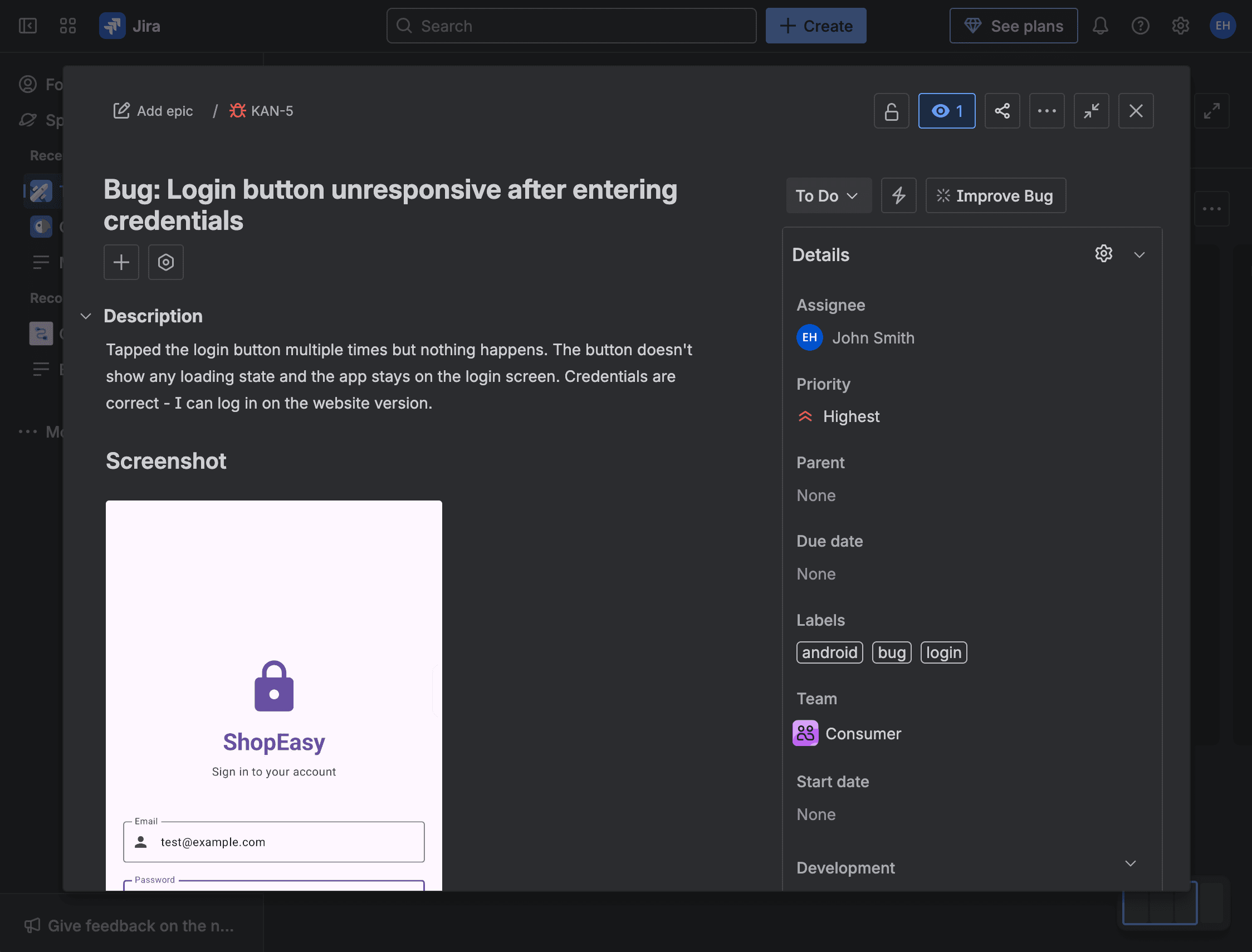
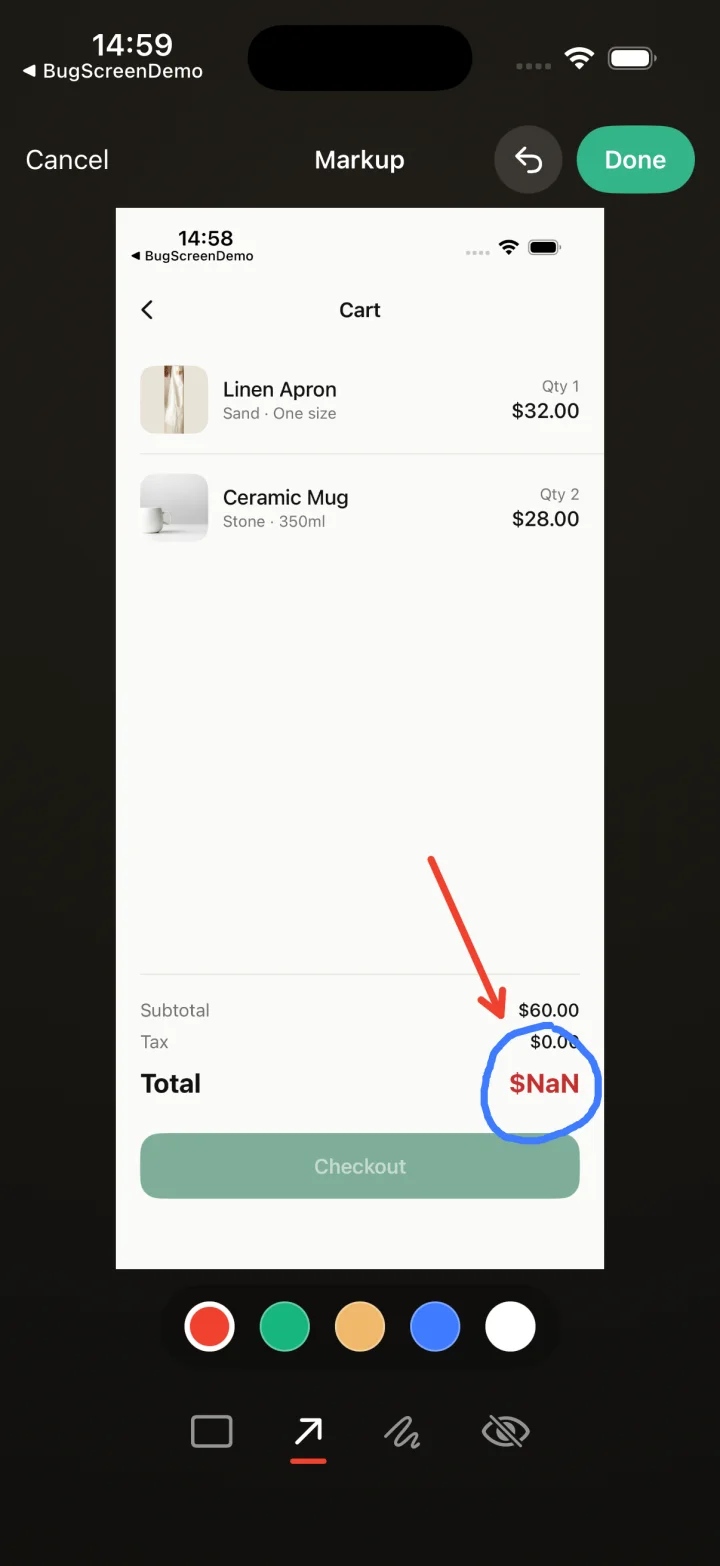
Screenshot to ticket, in three steps.
- Step 1
A tester takes a screenshot
The SDK detects the screenshot and opens a native report form with the image already attached — no shake gesture, no separate app.
- Step 2
Context is attached automatically
Device, OS, app version, locale and recent application logs are packaged with the report so engineers can reproduce it.
- Step 3
It reaches your team
The report is preserved in the private Report Inbox, and connected integrations can also create work in Jira, GitHub, ClickUp or Linear or post to Slack.
Every release is a build you can’t recall
BugScreen keeps the cadence safe: a tester screenshots a problem, and the report carries the device, build, and logs into Report Inbox and any connected tracker, so the bug is fixable before the train leaves rather than after it is already live.
Shipping often means rolling the dice often: once a build is on the App Store or Play, fixing it means a new version back through review, not an instant rollback. BugScreen shrinks the window where a bug can escape by turning in-testing screenshots into tracked, reproducible issues while there is still time to hold the train.
No triage tax between releases
A fast cadence dies if every bug costs a day of “what build? what device?” back-and-forth. Because each report already carries the app version, OS, locale, and recent logs, an engineer starts fixing instead of interrogating — which is the only way triage keeps pace with a weekly or fortnightly ship rhythm.
One flow across every train
The same screenshot-triggered reporting runs on iOS, Android, and React Native and files into Jira, GitHub, or ClickUp. Whether one app ships weekly and another monthly, testers learn a single flow and each release’s bugs land in the board that release is planned from.
Built for the mobile QA loop.
The human signal telemetry misses
Crash and error tools watch the software. BugScreen captures the visual, behavioural and UX bugs a tester notices and deliberately reports.
Mobile context, attached
Device, OS, app version and logs are packaged automatically so engineers can reproduce the issue fast.
Inbox and tracker delivery
Report Inbox preserves submissions, and integrations can also create work in Jira, GitHub, ClickUp or Linear or notify Slack.
Common questions
Why does release frequency change how much bug reporting matters?
The more often you ship, the more often a bug can reach a store you cannot hotfix. Frequent releases compress the QA window, so catching issues in-build — before each release — is what stops a bad version going live between trains.
Does BugScreen slow down a fast release process?
No. Integration is a few lines of native setup per app, and reports file themselves into your existing tracker, so there is no extra dashboard to check or export step between releases.
Can different apps ship on different cadences with one setup?
Yes. Each app is configured independently and points at its own Jira, GitHub, or ClickUp destination, so a mixed release calendar is a configuration choice rather than a compromise.
Try BugScreen on your app.
Screenshot → ticket in your issue tracker, with logs and device context. Free to start — no credit card.
Get started