Bug reporting that fits how QA teams already work
Bug reporting for QA teams works best when it does not interrupt the test.
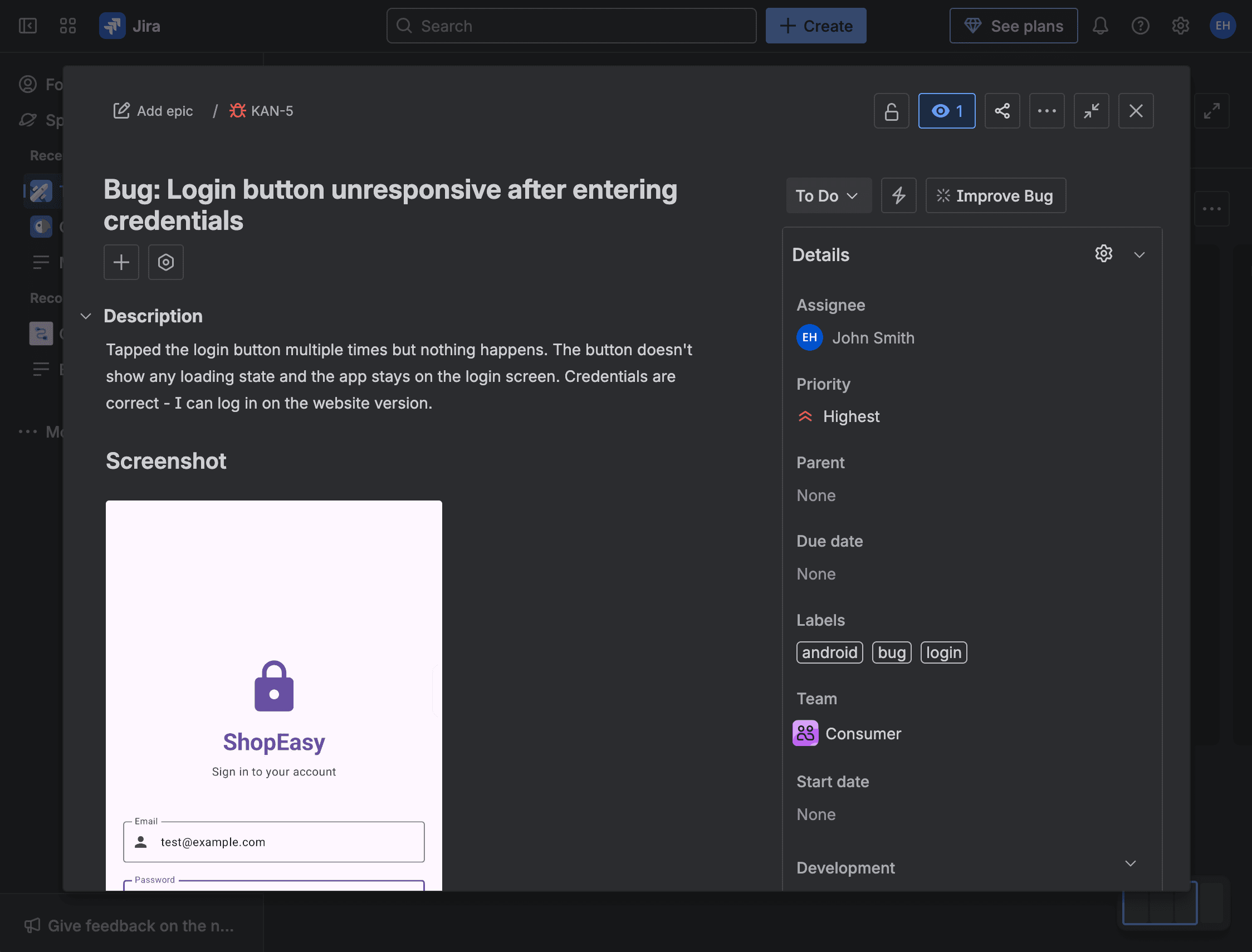
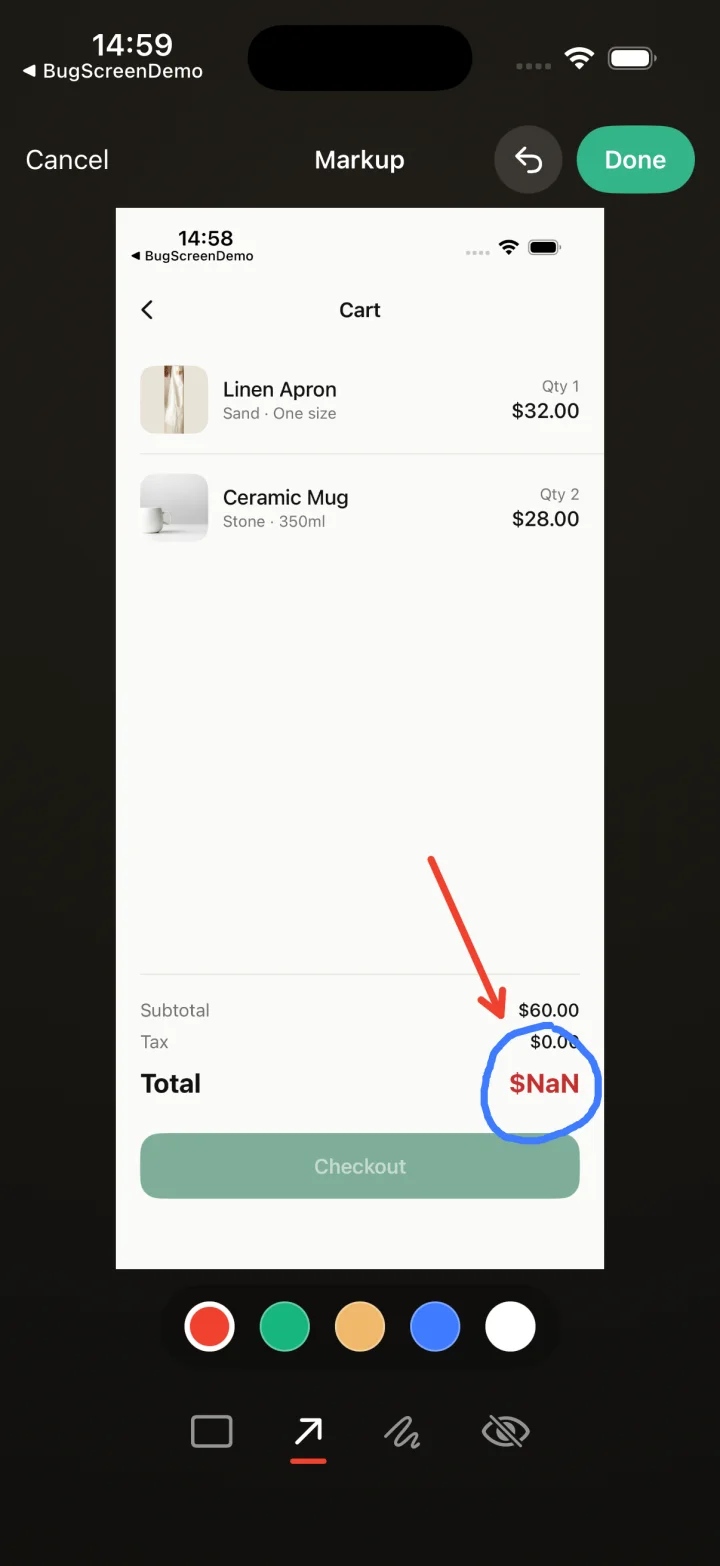
Screenshot to ticket, in three steps.
- Step 1
A tester takes a screenshot
The SDK detects the screenshot and opens a native report form with the image already attached — no shake gesture, no separate app.
- Step 2
Context is attached automatically
Device, OS, app version, locale and recent application logs are packaged with the report so engineers can reproduce it.
- Step 3
It reaches your team
The report is preserved in the private Report Inbox, and connected integrations can also create work in Jira, GitHub, ClickUp or Linear or post to Slack.
Report without leaving the test
BugScreen lets a tester report the moment they spot a problem — a screenshot is the trigger — and does the paperwork behind the scenes, so your team stops chasing repro steps and starts triaging real tickets with the context already attached.
A tester screenshots the bug and keeps testing; BugScreen opens the form with the image attached and files the report. Because reporting happens in-context and in seconds, your testers actually log the small issues they would otherwise skip when the flow is disruptive.
Every report is reproducible
Device, OS, app version, locale, and recent logs are captured on every submission, so the reports your QA team produces are ones engineers can act on immediately. On-device redaction runs before anything is uploaded, keeping sensitive fields out of the report.
One flow across every build
The same screenshot-triggered reporting works across iOS, Android, and React Native and files into Jira, GitHub, or ClickUp. Your testers learn one flow, and it behaves the same whichever app or platform they are exercising this cycle.
Built for the mobile QA loop.
The human signal telemetry misses
Crash and error tools watch the software. BugScreen captures the visual, behavioural and UX bugs a tester notices and deliberately reports.
Mobile context, attached
Device, OS, app version and logs are packaged automatically so engineers can reproduce the issue fast.
Inbox and tracker delivery
Report Inbox preserves submissions, and integrations can also create work in Jira, GitHub, ClickUp or Linear or notify Slack.
Common questions
Will reporting interrupt a tester’s flow?
No. Taking a screenshot opens the report form in-app, so testers file a bug in seconds and keep testing. There is no separate tool to switch to.
Can testers classify the reports they file?
Yes. A tester can optionally set a type (bug, UI, or crash) and a severity, alongside the required description, so triage starts with a sensible signal.
How is sensitive information handled?
Redaction happens on-device before a report is uploaded, and BugScreen does no background collection — data is gathered only when a tester submits a report.
Try BugScreen on your app.
Screenshot → ticket in your issue tracker, with logs and device context. Free to start — no credit card.
Get started