From screenshot to bug report, automatically
A screenshot-to-bug-report flow turns the picture a tester takes into a fully-formed issue without any copy-paste.
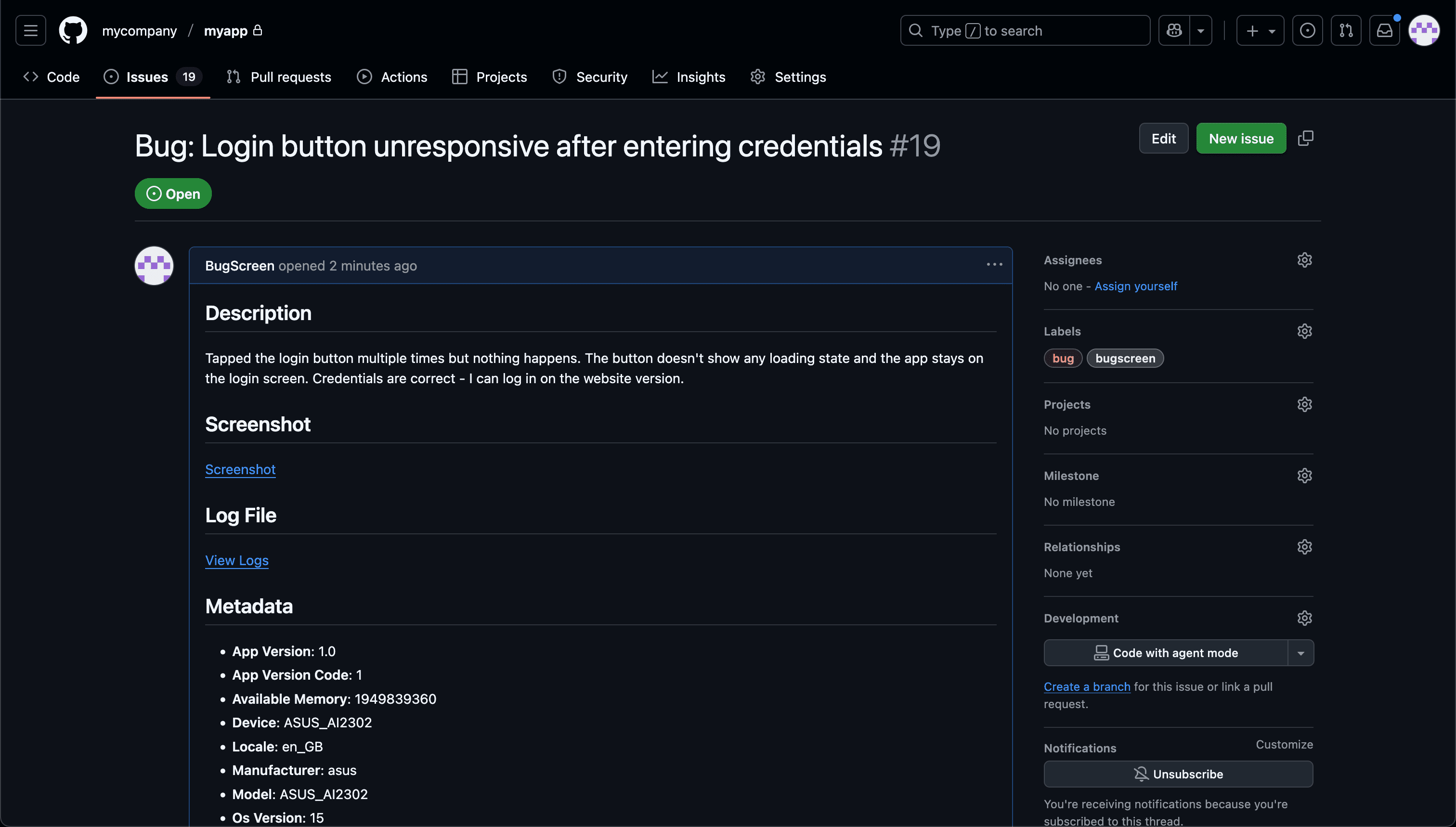
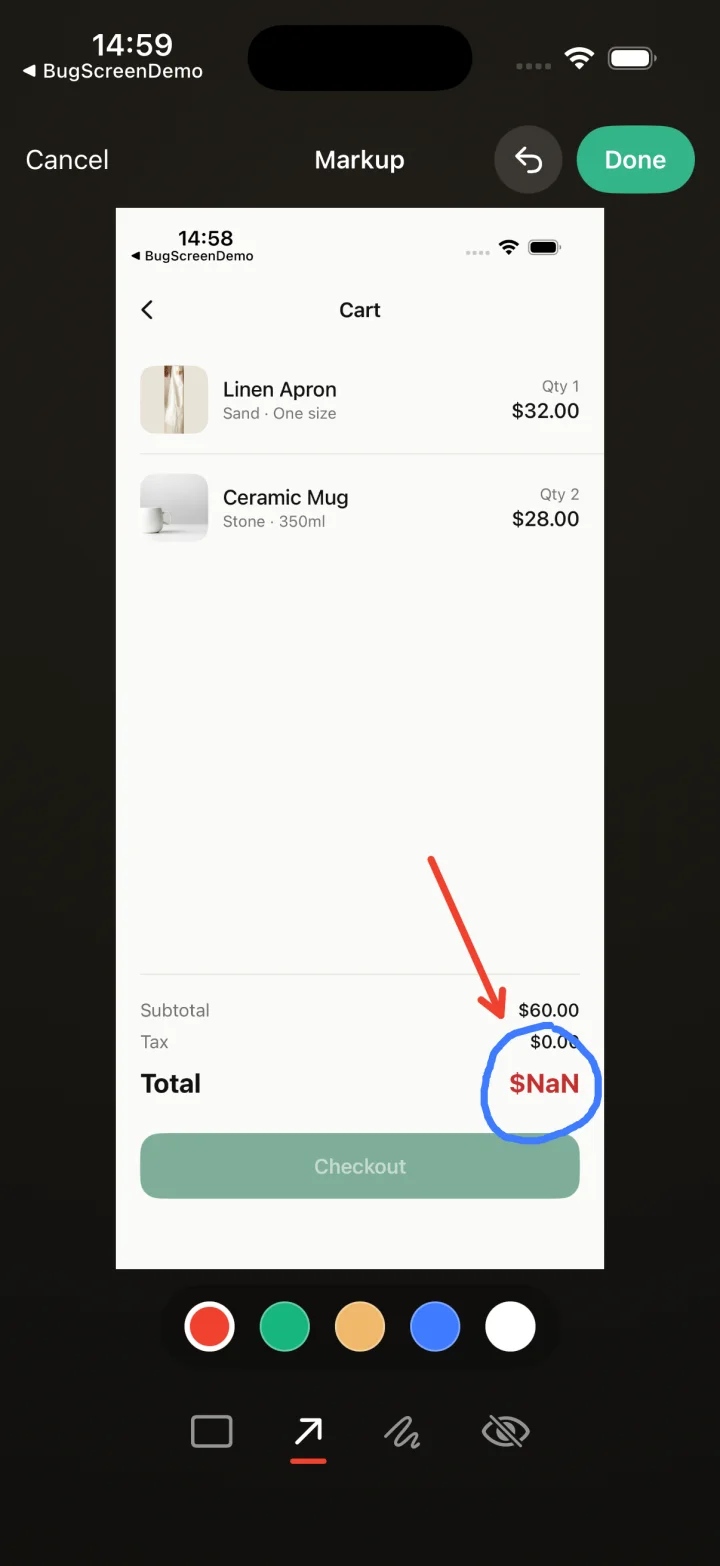
Screenshot to ticket, in three steps.
- Step 1
A tester takes a screenshot
The SDK detects the screenshot and opens a native report form with the image already attached — no shake gesture, no separate app.
- Step 2
Context is attached automatically
Device, OS, app version, locale and recent application logs are packaged with the report so engineers can reproduce it.
- Step 3
It reaches your team
The report is preserved in the private Report Inbox, and connected integrations can also create work in Jira, GitHub, ClickUp or Linear or post to Slack.
The screenshot is the signal
BugScreen is built around that moment: the screenshot is the trigger. When a tester captures one inside your app, BugScreen opens, attaches the technical context, and files the report to your tracker.
People already screenshot the thing that looks wrong — it is the most natural bug-reporting gesture there is. BugScreen treats that action as the trigger instead of asking testers to remember a shake gesture or open a separate reporting tool, so reports get filed in the moment rather than forgotten later.
The report is filled in for you
A raw screenshot is not a bug report. BugScreen wraps the image with the device, OS, app version, locale, and recent logs, then hands the tester a short form for a description — so what reaches your engineers is a complete ticket, not a picture that needs a follow-up conversation.
It ends in your tracker
The finished report files straight into Jira, GitHub, or ClickUp and can notify Slack. The whole path from screenshot to tracked issue happens without anyone exporting, forwarding, or re-typing anything.
Built for the mobile QA loop.
The human signal telemetry misses
Crash and error tools watch the software. BugScreen captures the visual, behavioural and UX bugs a tester notices and deliberately reports.
Mobile context, attached
Device, OS, app version and logs are packaged automatically so engineers can reproduce the issue fast.
Inbox and tracker delivery
Report Inbox preserves submissions, and integrations can also create work in Jira, GitHub, ClickUp or Linear or notify Slack.
Common questions
Does BugScreen use a shake gesture to trigger reports?
No. BugScreen is triggered by screenshots, not shaking. Screenshotting is a deliberate, low-friction action testers already perform, and it avoids the accidental triggers a shake gesture can cause. A programmatic manual trigger is also available for host apps.
What gets attached to the report besides the screenshot?
Device model, OS version, app version, build, locale, and recent in-memory logs (up to ~1 MB, oldest dropped first) are attached automatically. The tester adds a description and, optionally, a type and severity.
Does it capture video or screen recordings?
No. BugScreen captures screenshots, not video. Testers can attach up to four screenshots per report.
Try BugScreen on your app.
Screenshot → ticket in your issue tracker, with logs and device context. Free to start — no credit card.
Get started