Turn vague client feedback into tickets your team can ship
Client feedback for app agencies is the difference between a smooth delivery and a week of clarifying emails.
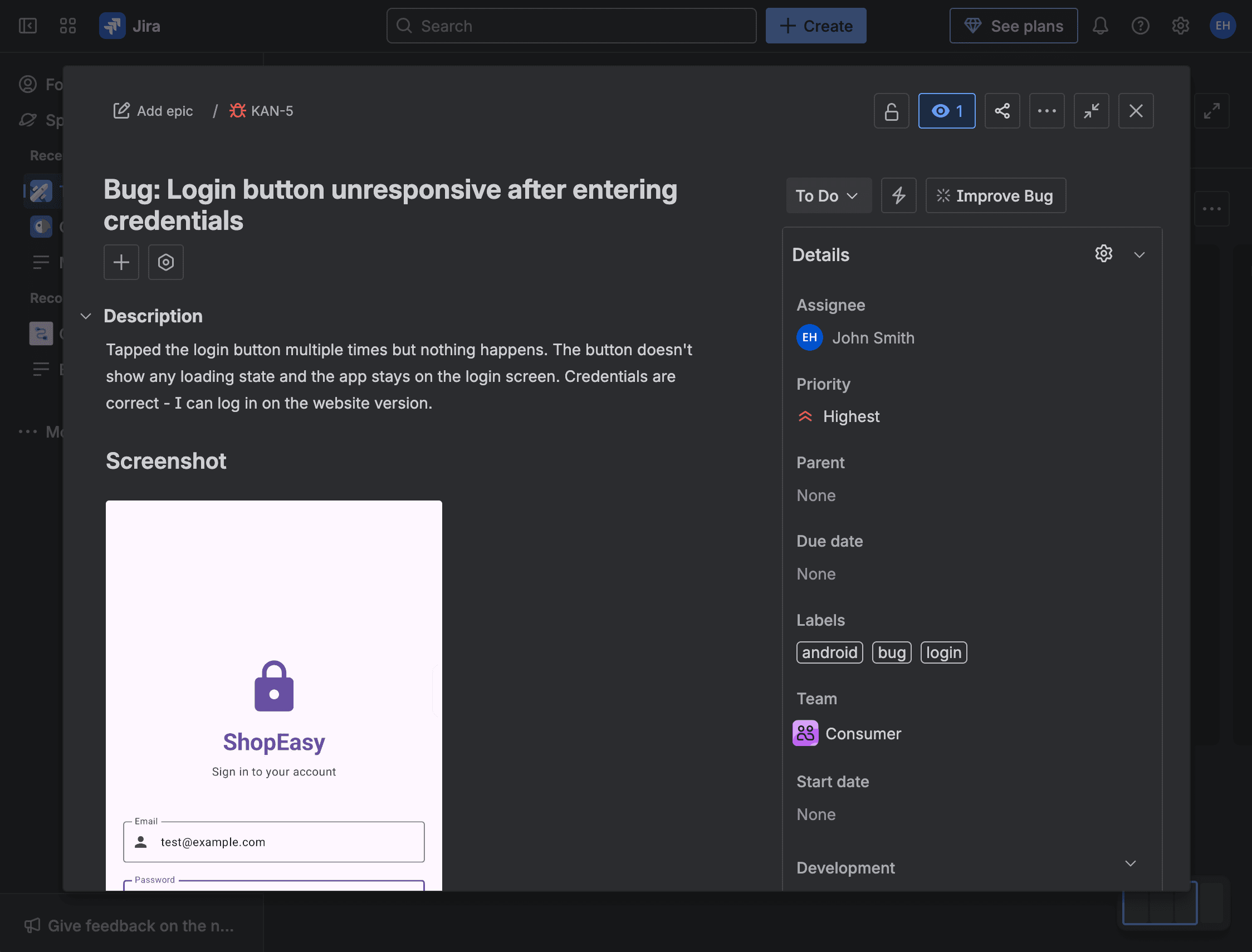
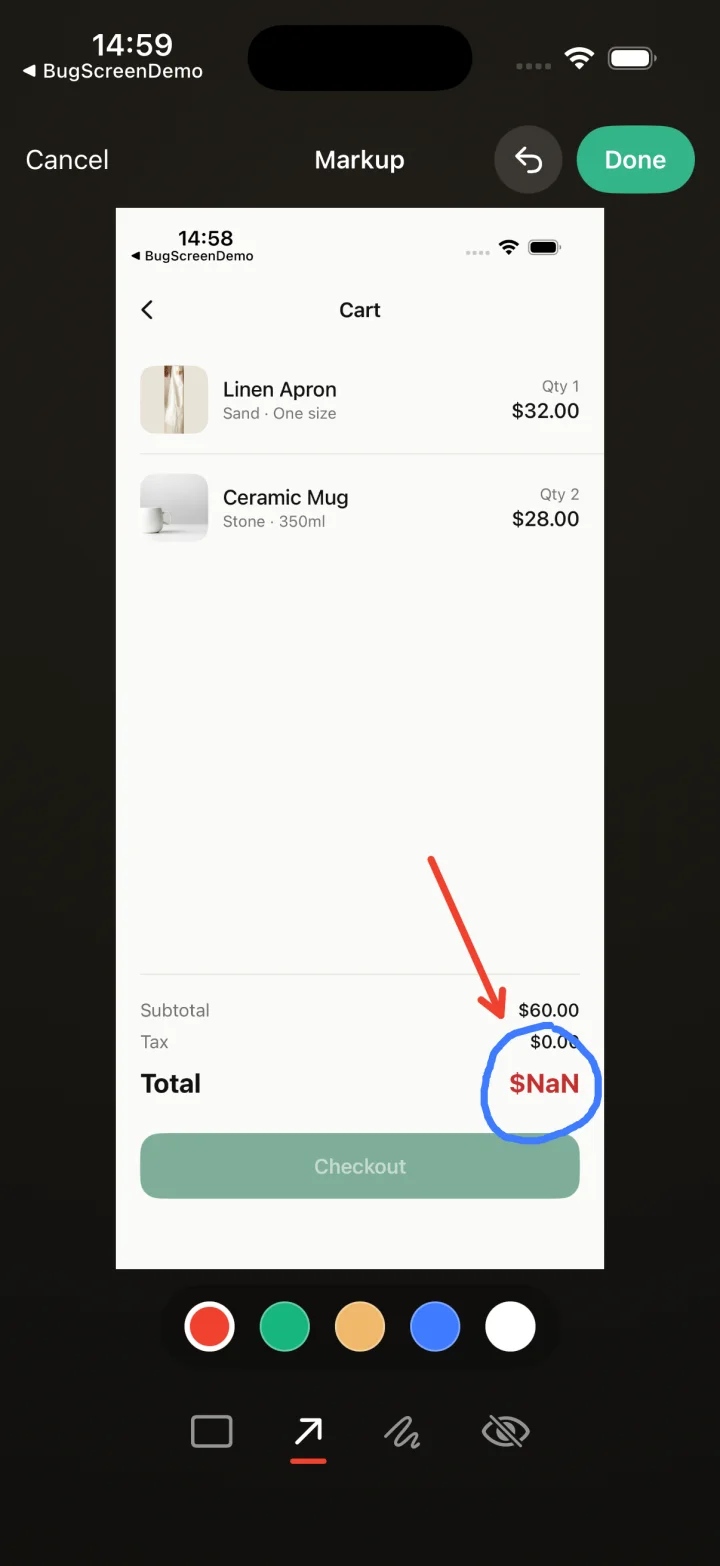
Screenshot to ticket, in three steps.
- Step 1
A tester takes a screenshot
The SDK detects the screenshot and opens a native report form with the image already attached — no shake gesture, no separate app.
- Step 2
Context is attached automatically
Device, OS, app version, locale and recent application logs are packaged with the report so engineers can reproduce it.
- Step 3
It reaches your team
The report is preserved in the private Report Inbox, and connected integrations can also create work in Jira, GitHub, ClickUp or Linear or post to Slack.
Client feedback a developer can action
App development agencies live on how fast client feedback becomes shippable work, and BugScreen closes that gap: a client screenshots the problem in the build you shipped them, and it arrives as a structured report that can also be forwarded to your agency’s tracker instead of being dropped into email.
A client saying “this looks off on my phone” is not a ticket. BugScreen wraps that observation with the device, OS, app version, and recent logs, so your developers receive an actionable issue instead of a description they have to decode over a chain of reply-all emails.
No agency-tracker seats for the client
Clients report from inside the build without ever touching your Jira, GitHub, or ClickUp. When an integration is connected, BugScreen files the ticket on their behalf, so you keep clients out of your delivery board while still capturing exactly what they saw, on the device they saw it on.
One reporting flow across every client app
Agencies ship many apps for many clients on iOS, Android, and React Native. The same screenshot-triggered flow drops into each build and files to whichever tracker that engagement uses, so onboarding a new client app is configuration, not a bespoke feedback pipeline.
Built for the mobile QA loop.
The human signal telemetry misses
Crash and error tools watch the software. BugScreen captures the visual, behavioural and UX bugs a tester notices and deliberately reports.
Mobile context, attached
Device, OS, app version and logs are packaged automatically so engineers can reproduce the issue fast.
Inbox and tracker delivery
Report Inbox preserves submissions, and integrations can also create work in Jira, GitHub, ClickUp or Linear or notify Slack.
Common questions
How is this different from clients emailing feedback?
Email loses the technical context and needs decoding. With BugScreen a client’s screenshot arrives as a ticket with the device, build, and logs attached, so your team can reproduce and fix it without a clarifying thread.
Do our clients need accounts in our issue tracker?
No. Clients report from inside the app, and BugScreen files the issue into your agency’s Jira, GitHub, or ClickUp for them. Only the integration is connected once, by your team.
Can each client project file into a different tracker?
Yes. Every app is configured independently, so one client’s feedback can land in Jira while another’s lands in ClickUp, matching however that engagement is run.
Try BugScreen on your app.
Screenshot → ticket in your issue tracker, with logs and device context. Free to start — no credit card.
Get started