Beta testing feedback your team can act on
Beta testing feedback is the stream of issues and observations testers send while they exercise a pre-release build.
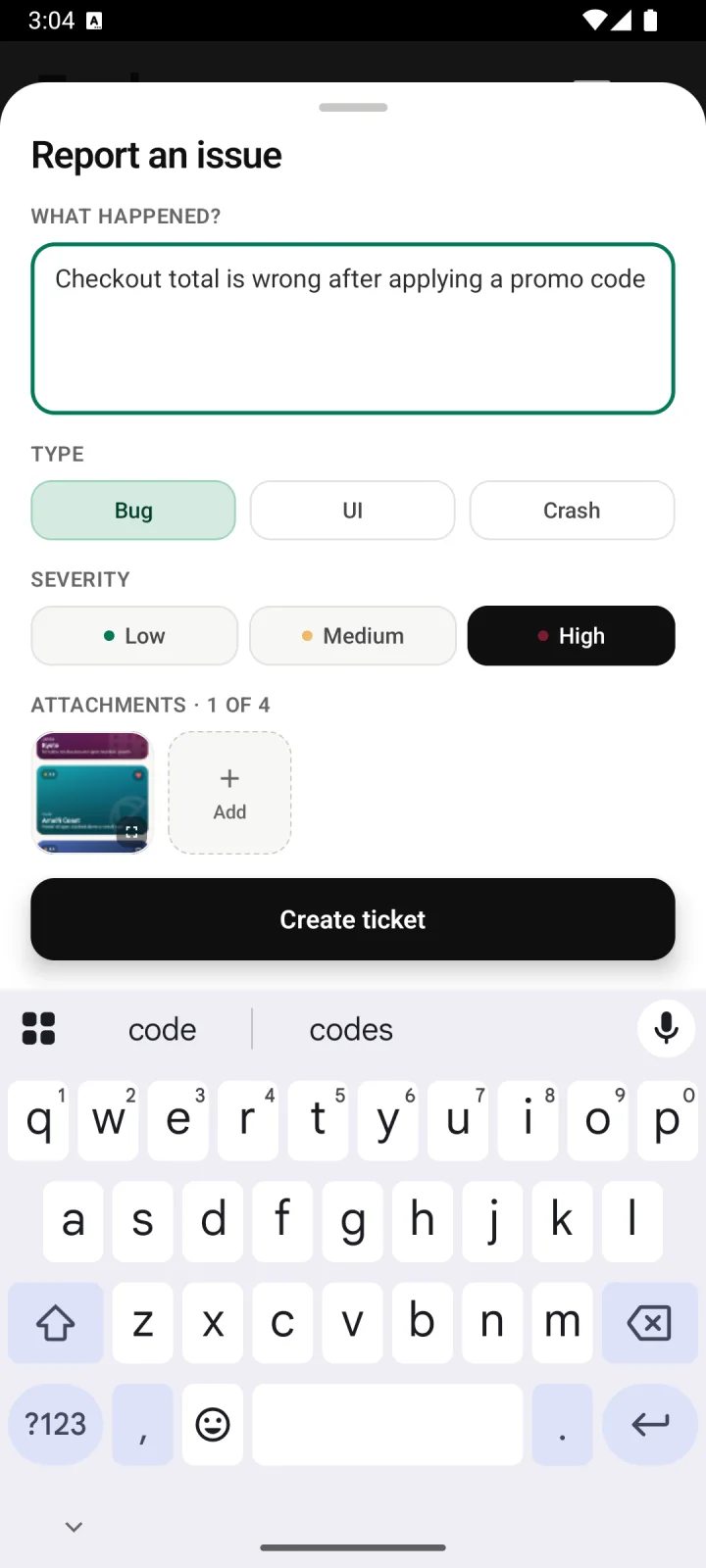
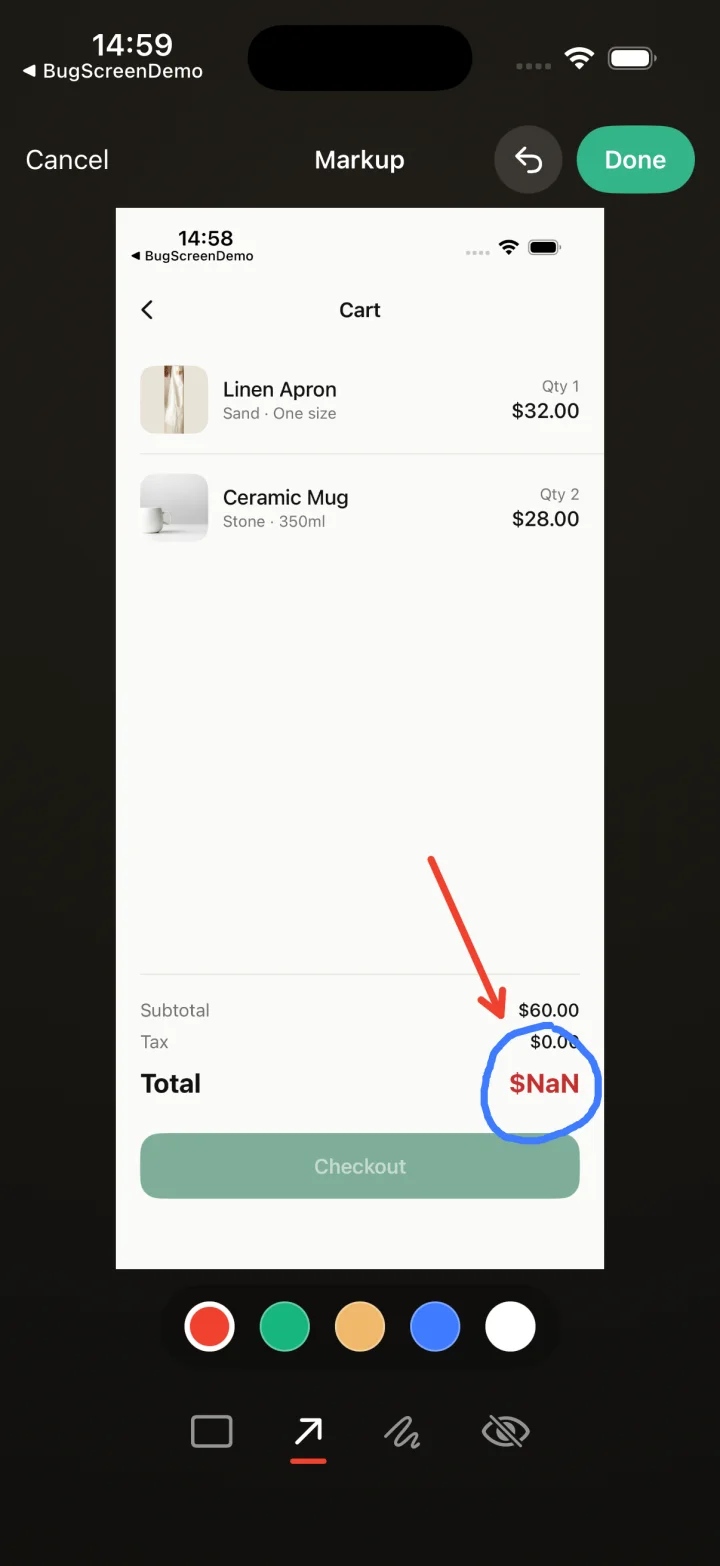
Screenshot to ticket, in three steps.
- Step 1
A tester takes a screenshot
The SDK detects the screenshot and opens a native report form with the image already attached — no shake gesture, no separate app.
- Step 2
Context is attached automatically
Device, OS, app version, locale and recent application logs are packaged with the report so engineers can reproduce it.
- Step 3
It reaches your team
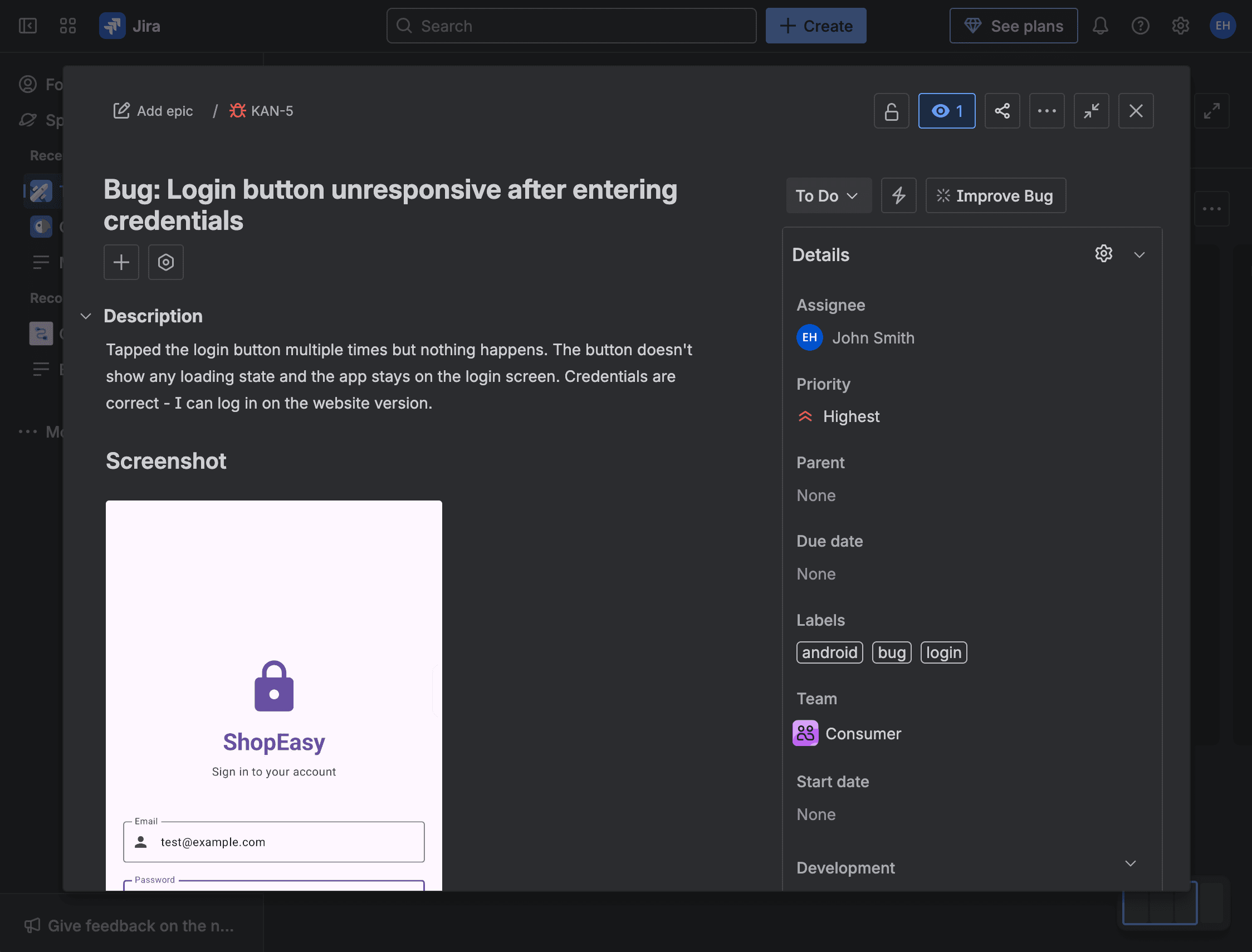
The report is preserved in the private Report Inbox, and connected integrations can also create work in Jira, GitHub, ClickUp or Linear or post to Slack.
A flood of reports, each one triageable
When a TestFlight or Google Play beta is live and the deadline is fixed, BugScreen keeps issue reports useful: the SDK attaches the screenshot, device, build and recent logs, Report Inbox preserves the submission and configured integrations can route it into the engineering workflow.
Mid-beta the problem is not too little feedback but too much of it, half of it unreproducible. BugScreen makes every submission carry its device, OS, app version and recent logs, so a busy beta produces a queue of actionable tickets rather than a backlog of “it broke on my phone” you have to decode against the clock.
Keep issue reports separate from surveys
A bug report documents one fixable problem; a survey measures sentiment and feature voting ranks demand. BugScreen handles the issue-reporting lane, preserving reports in the private Inbox and optionally creating work in Jira, GitHub, ClickUp or Linear, with Slack available for notifications.
Low friction keeps beta testers reporting
Beta participants report the way they already behave — they screenshot what looks wrong. There is no portal to log into and no form to hunt for, which is what keeps a beta cohort actually submitting through the final, busiest days before you ship.
Built for the mobile QA loop.
The human signal telemetry misses
Crash and error tools watch the software. BugScreen captures the visual, behavioural and UX bugs a tester notices and deliberately reports.
Mobile context, attached
Device, OS, app version and logs are packaged automatically so engineers can reproduce the issue fast.
Inbox and tracker delivery
Report Inbox preserves submissions, and integrations can also create work in Jira, GitHub, ClickUp or Linear or notify Slack.
Common questions
Why does beta feedback get harder near a release deadline?
Report volume spikes while the time to triage shrinks. A fixed store-review deadline means a vague report that needs follow-up may not be resolved before you have to ship, so feedback has to arrive actionable the first time.
Can testers attach more than one screenshot to a beta report?
Yes. A tester can attach up to four screenshots to a single report, alongside a description and an optional type and severity, so a multi-step beta issue is captured in one submission.
Is this a survey or feedback-widget tool?
No. BugScreen captures bugs and issues during testing rather than running NPS surveys, feature voting or in-app polls. Each submission is an issue report with screenshots and available technical context for Report Inbox and configured integrations.
Can a beta team start without adding an SDK?
Yes. The BugScreen companion app can capture screenshots and tester-entered context without changing the beta build. Companion reports do not include the tested app’s logs or build metadata; add the SDK when that deeper context matters.
Plan the beta
Mobile beta testing checklistRun the feedback loop
How to manage mobile beta feedbackStandardise each report
Beta test issue template generatorTry BugScreen on your app.
Screenshot → ticket in your issue tracker, with logs and device context. Free to start — no credit card.
Get started