Firebase App Distribution bug reporting that ends in your tracker
Firebase App Distribution bug reporting is the missing handoff between delivering a test build and receiving a useful issue from the person testing it.
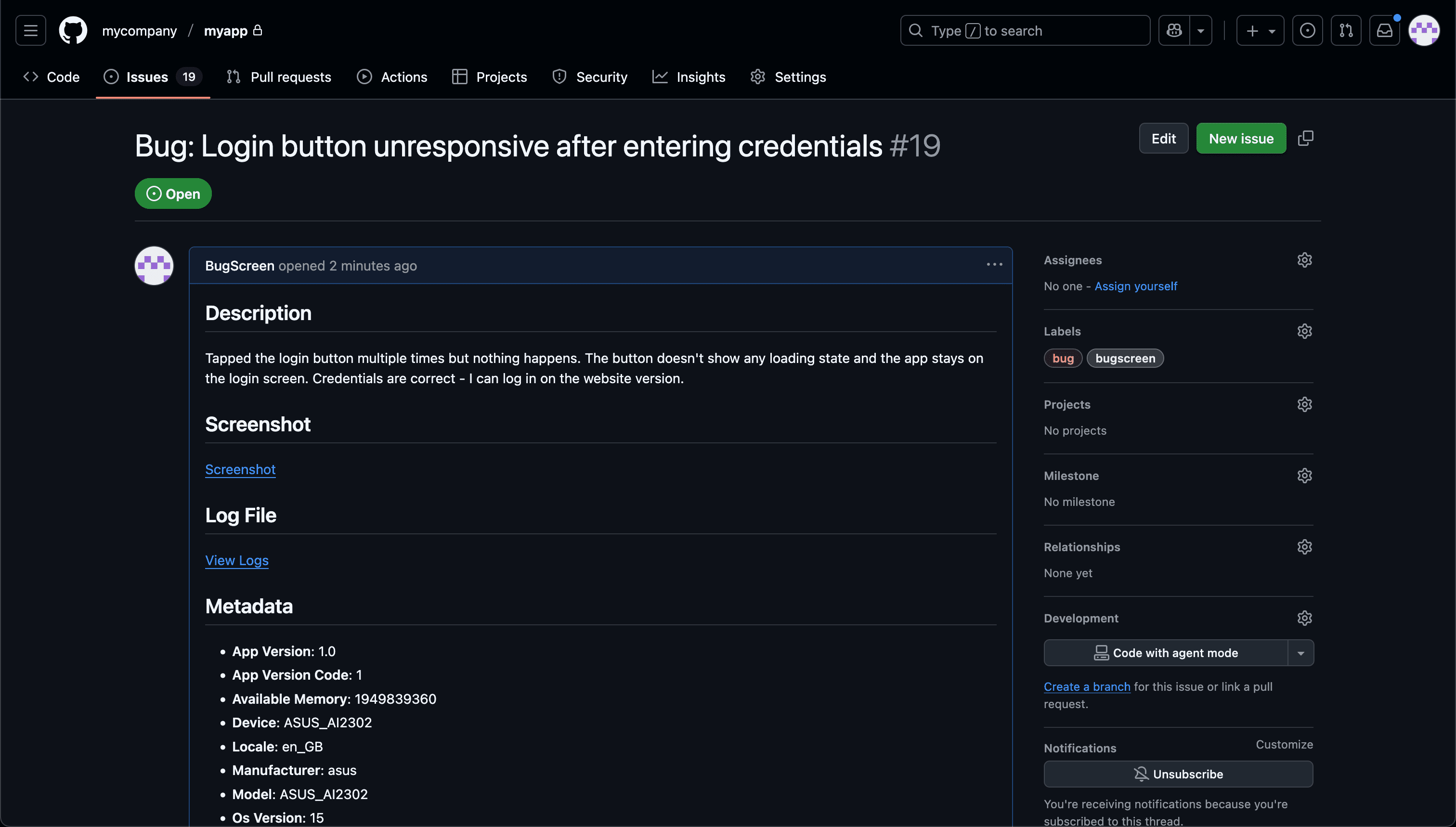
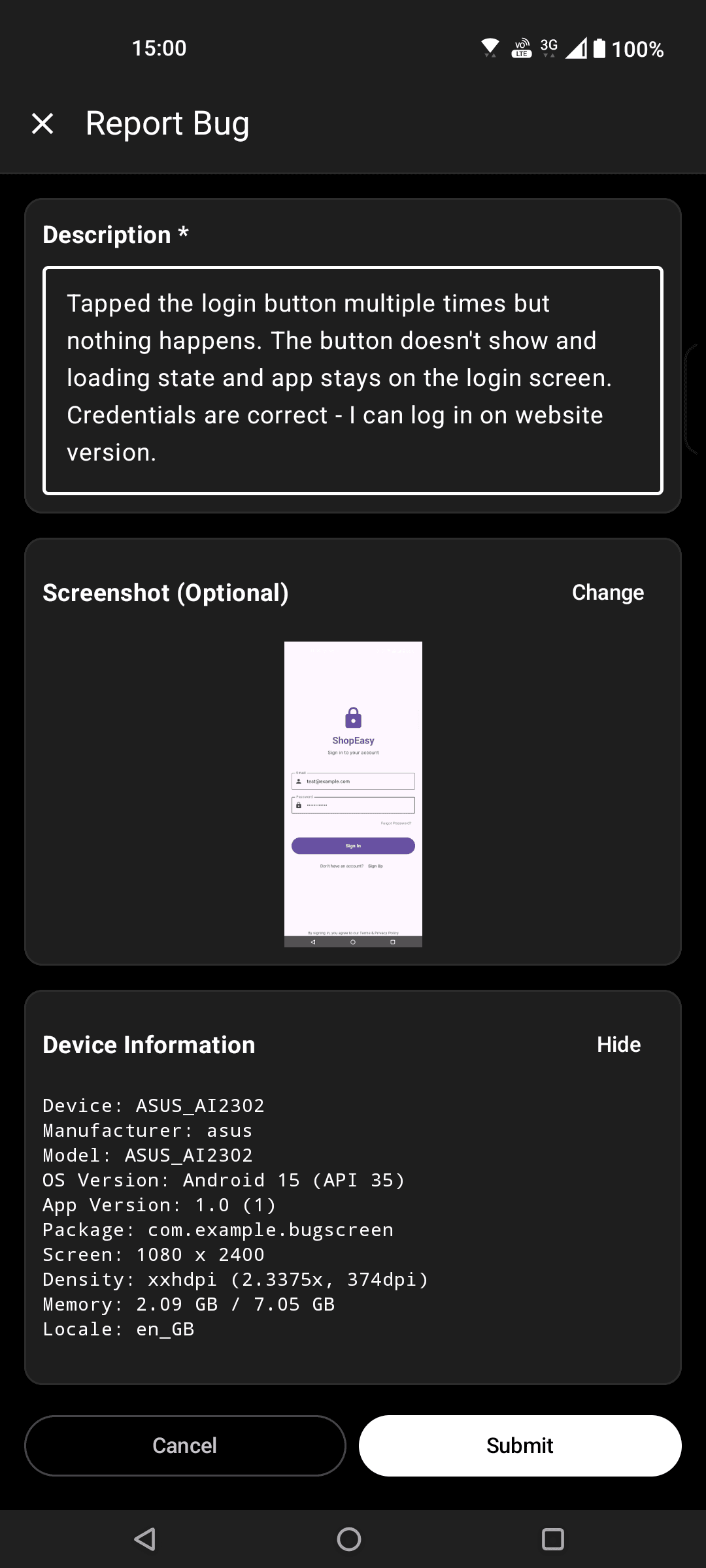
Screenshot to ticket, in three steps.
- Step 1
A tester takes a screenshot
The SDK detects the screenshot and opens a native report form with the image already attached — no shake gesture, no separate app.
- Step 2
Context is attached automatically
Device, OS, app version, locale and recent application logs are packaged with the report so engineers can reproduce it.
- Step 3
It reaches your team
The report is preserved in the private Report Inbox, and connected integrations can also create work in Jira, GitHub, ClickUp or Linear or post to Slack.
Distribution and reporting are different jobs
App Distribution gets the build onto a device; BugScreen gives that tester a screenshot-triggered path into Jira, GitHub, or ClickUp.
Firebase App Distribution is excellent at putting prerelease builds in testers’ hands. BugScreen sits inside those builds to handle the next moment: a person notices something wrong, takes a screenshot, adds a description, and sends it to engineering.
Complement Crashlytics instead of replacing it
Keep Crashlytics for crashes, ANRs, and errors the software can detect automatically. BugScreen covers the visual, behavioural, copy, and account-specific problems a human notices but telemetry cannot recognise; the two signals belong side by side.
Send reports into the real backlog
Each submission becomes a Jira issue, GitHub issue, or ClickUp task with its screenshot, tester description, build and device context, and recent logs. Test feedback arrives where developers already plan rather than becoming another inbox to reconcile.
Built for the mobile QA loop.
The human signal telemetry misses
Crash and error tools watch the software. BugScreen captures the visual, behavioural and UX bugs a tester notices and deliberately reports.
Mobile context, attached
Device, OS, app version and logs are packaged automatically so engineers can reproduce the issue fast.
Inbox and tracker delivery
Report Inbox preserves submissions, and integrations can also create work in Jira, GitHub, ClickUp or Linear or notify Slack.
Common questions
Does BugScreen replace Firebase App Distribution?
No. App Distribution delivers builds to testers; BugScreen provides the in-app path for reporting bugs from those builds. Teams can use both in the same testing workflow.
Does BugScreen replace Firebase Crashlytics?
No. Crashlytics automatically detects crashes and errors. BugScreen captures issues a person notices and deliberately reports, including visual and behavioural bugs that produce no crash.
Where does a tester’s report go?
BugScreen files it into the Jira project, GitHub repository, or ClickUp list your team connects, and can also post a notification to Slack.
Try BugScreen on your app.
Screenshot → ticket in your issue tracker, with logs and device context. Free to start — no credit card.
Get started