Bug reporting built for mobile developers
Bug reporting for developers should mean less time reconstructing what went wrong, not more.
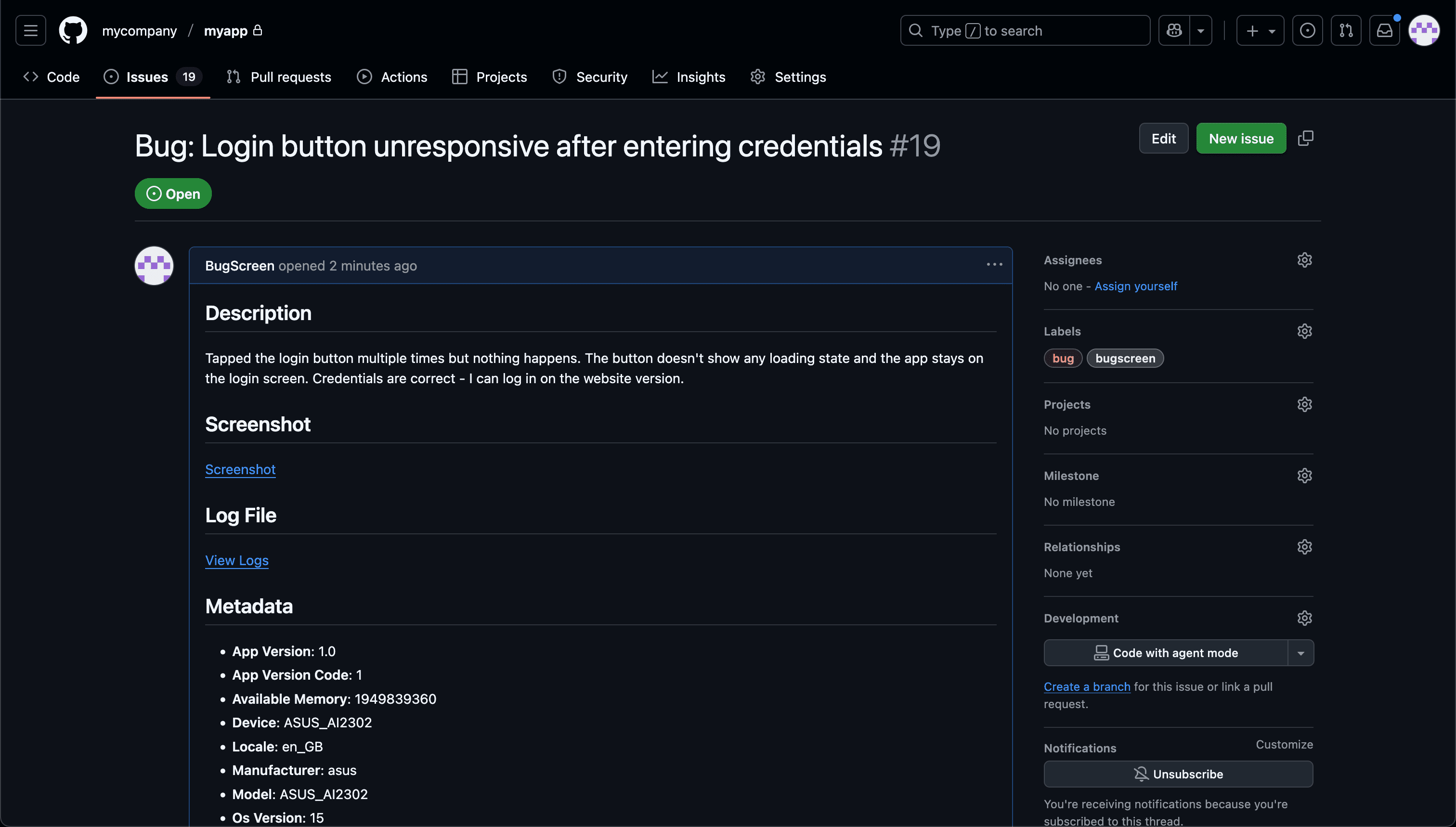
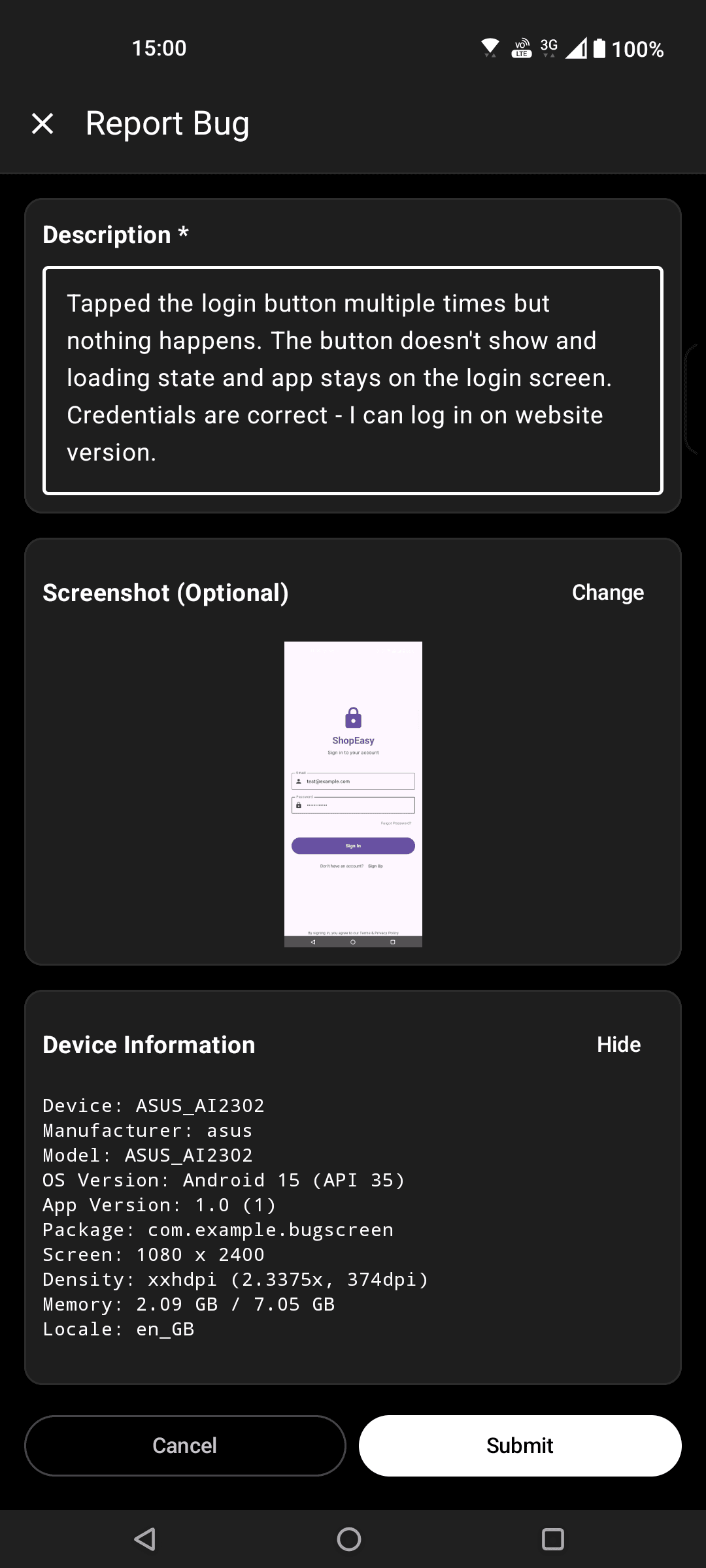
Screenshot to ticket, in three steps.
- Step 1
A tester takes a screenshot
The SDK detects the screenshot and opens a native report form with the image already attached — no shake gesture, no separate app.
- Step 2
Context is attached automatically
Device, OS, app version, locale and recent application logs are packaged with the report so engineers can reproduce it.
- Step 3
It reaches your team
The report is preserved in the private Report Inbox, and connected integrations can also create work in Jira, GitHub, ClickUp or Linear or post to Slack.
Three lines of native code
BugScreen is a native iOS, Android, and React Native SDK that turns a tester’s screenshot into a report with the context you need and can forward it to the tracker you already triage from.
The SDK is a small dependency you drop into one app and configure in minutes — no backend to stand up, no webhook layer to maintain. It is semantically versioned and deliberately light, so it does not bloat your build or fight your architecture.
Reports arrive fully formed
Every report carries the device, OS, app version, locale, and recent application logs. It stays in Report Inbox and can also land in Jira, GitHub, or ClickUp, so you open a bug that is already reproducible instead of replying "can you tell me your device and build?" and waiting a day for the answer.
Connect the workflow you already use
Report Inbox keeps the short-lived evidence copy, while optional integrations put a durable issue on the board you already plan from. BugScreen stays focused on capture and leaves long-term workflow in your tracker.
Built for the mobile QA loop.
The human signal telemetry misses
Crash and error tools watch the software. BugScreen captures the visual, behavioural and UX bugs a tester notices and deliberately reports.
Mobile context, attached
Device, OS, app version and logs are packaged automatically so engineers can reproduce the issue fast.
Inbox and tracker delivery
Report Inbox preserves submissions, and integrations can also create work in Jira, GitHub, ClickUp or Linear or notify Slack.
Common questions
How much code does it take to integrate?
A few lines of native setup per app. The SDK is available for iOS (Swift), Android (Kotlin), and React Native, and the integration guides walk through it end to end.
Is the SDK open to inspection?
The iOS SDK’s source is public on GitHub, and every SDK is semantically versioned, so you can pin versions confidently and know exactly what you depend on.
Will it add tracking or bloat to my app?
No. BugScreen collects nothing in the background — data is only gathered when a tester submits a report. There is no analytics SDK bundled and no session tracking.
Try BugScreen on your app.
Screenshot → ticket in your issue tracker, with logs and device context. Free to start — no credit card.
Get started