Google Play beta feedback that engineers can act on
Google Play lets testers in closed and open testing send private feedback to developers.
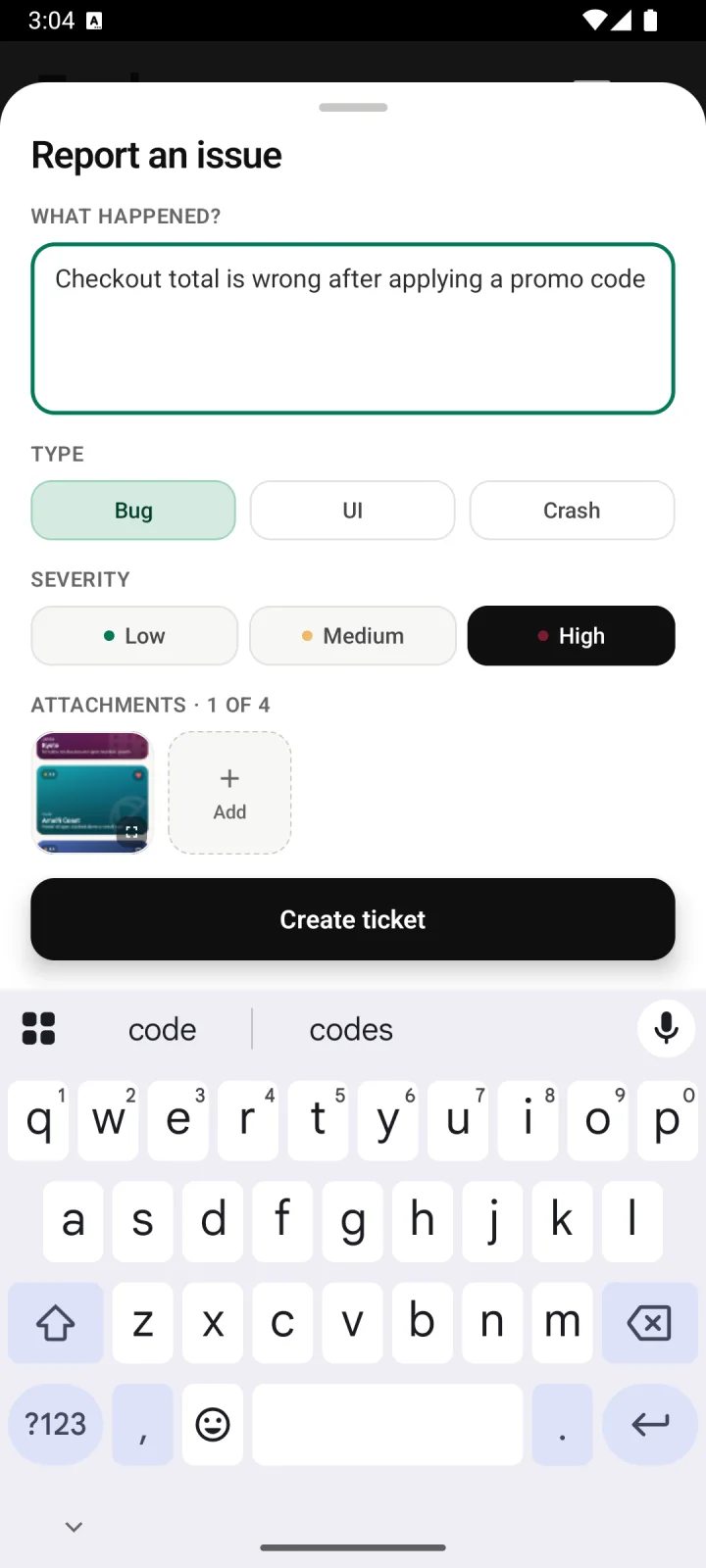
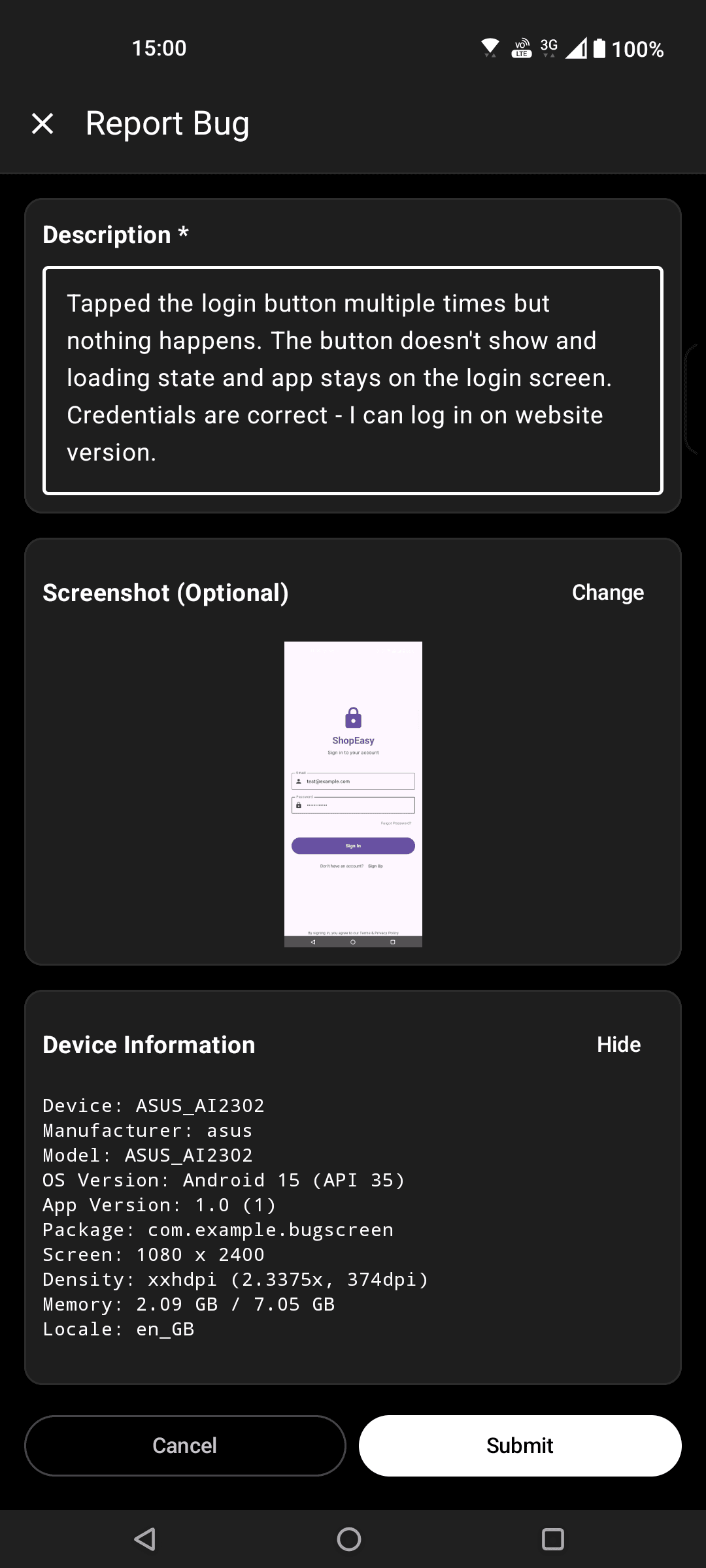
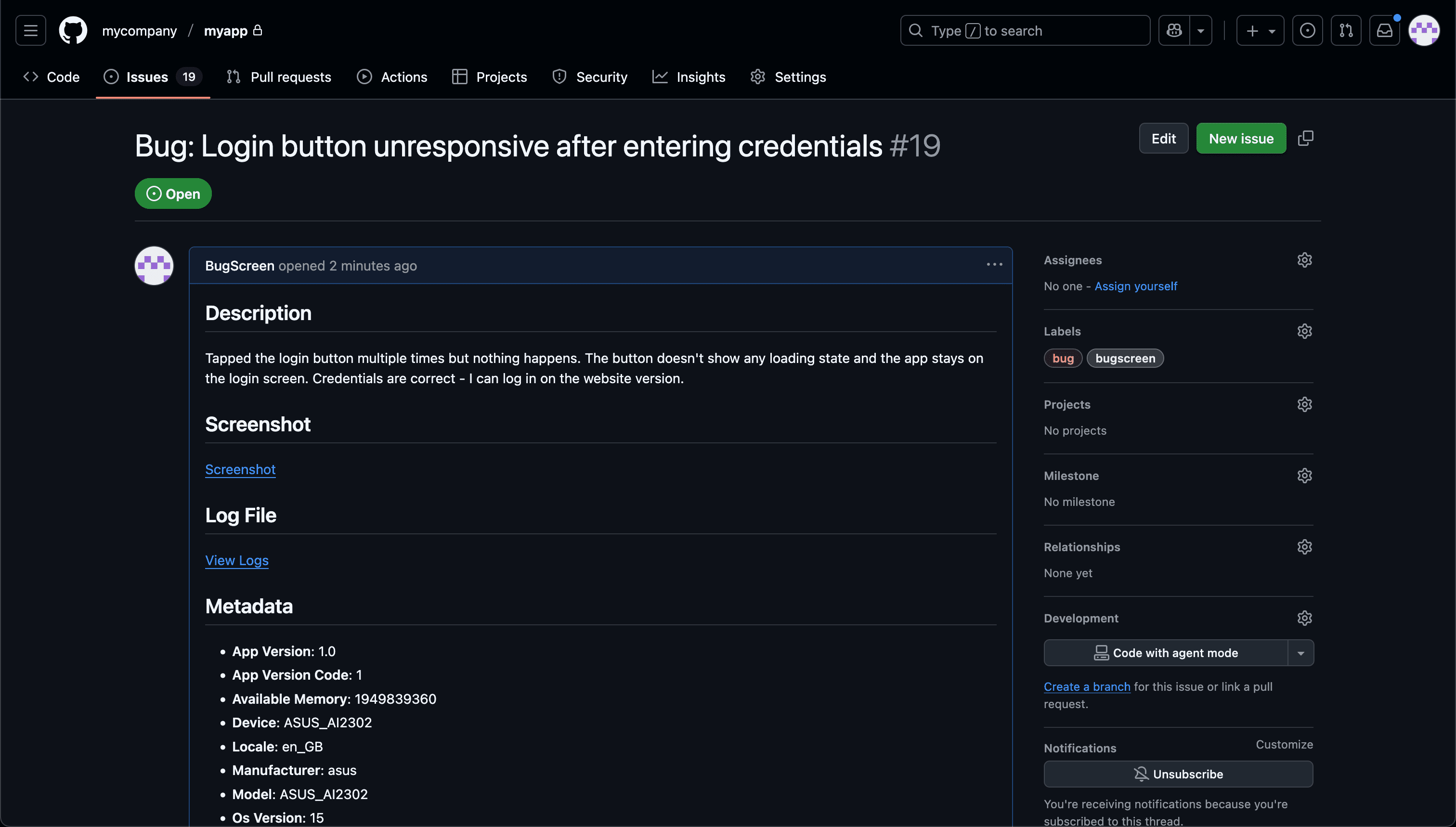
Screenshot to ticket, in three steps.
- Step 1
A tester takes a screenshot
The SDK detects the screenshot and opens a native report form with the image already attached — no shake gesture, no separate app.
- Step 2
Context is attached automatically
Device, OS, app version, locale and recent application logs are packaged with the report so engineers can reproduce it.
- Step 3
It reaches your team
The report is preserved in the private Report Inbox, and connected integrations can also create work in Jira, GitHub, ClickUp or Linear or post to Slack.
Keep the Play testing track as the source of the build
BugScreen complements those testing tracks with an in-app issue path that can run in builds from internal, closed or open tracks, preserve reports in a private Inbox and optionally route them into the team’s engineering tracker.
Google Play continues to manage internal, closed and open testing, tester access and release progression. BugScreen sits inside the installed Android build for the moment a tester finds a specific defect; it does not replace Play Console or the private-feedback option available in closed and open testing.
Identify the exact Android test context
The SDK can attach screenshots, app version and build, Android version, device model, locale, memory information, recent application logs and custom context supplied by the app. That makes it easier to separate a build-specific regression from a device-specific or account-specific problem.
Offer an SDK route or a no-code route
Embed the Android SDK when automatic app and device context matters. For a beta you cannot modify, the companion app can capture screenshots and details entered by the tester, but companion reports do not contain the tested app’s logs or build metadata.
Route defects without mixing every feedback type
Use surveys for opinions, feature voting for requests and crash tools for detected failures. BugScreen handles deliberate issue reports, keeping them in Report Inbox for 30 days on Free or 1 year on paid plans and optionally creating items in Jira, GitHub, ClickUp or Linear or notifying Slack.
Built for the mobile QA loop.
The human signal telemetry misses
Crash and error tools watch the software. BugScreen captures the visual, behavioural and UX bugs a tester notices and deliberately reports.
Mobile context, attached
Device, OS, app version and logs are packaged automatically so engineers can reproduce the issue fast.
Inbox and tracker delivery
Report Inbox preserves submissions, and integrations can also create work in Jira, GitHub, ClickUp or Linear or notify Slack.
Common questions
Does BugScreen replace Google Play testing tracks?
No. Google Play distributes builds and manages test audiences. BugScreen adds a structured in-app route for issues testers notice while using those builds.
Can I use BugScreen in internal, closed and open tests?
Yes. The reporting workflow lives in the Android app, so it can be included in a build distributed through any Play testing track your release process uses.
Do companion reports include Android app logs?
No. Only the embedded SDK can receive the tested app’s logs or build metadata. The no-code companion route captures screenshots and information the tester enters.
Standardise each report
Beta test issue template generatorRun the feedback loop
How to manage mobile beta feedbackTry BugScreen on your app.
Screenshot → ticket in your issue tracker, with logs and device context. Free to start — no credit card.
Get started