File bugs to Linear from your mobile app
BugScreen lets testers file bugs to Linear from a mobile app by turning an in-app report into an issue in the team you choose.
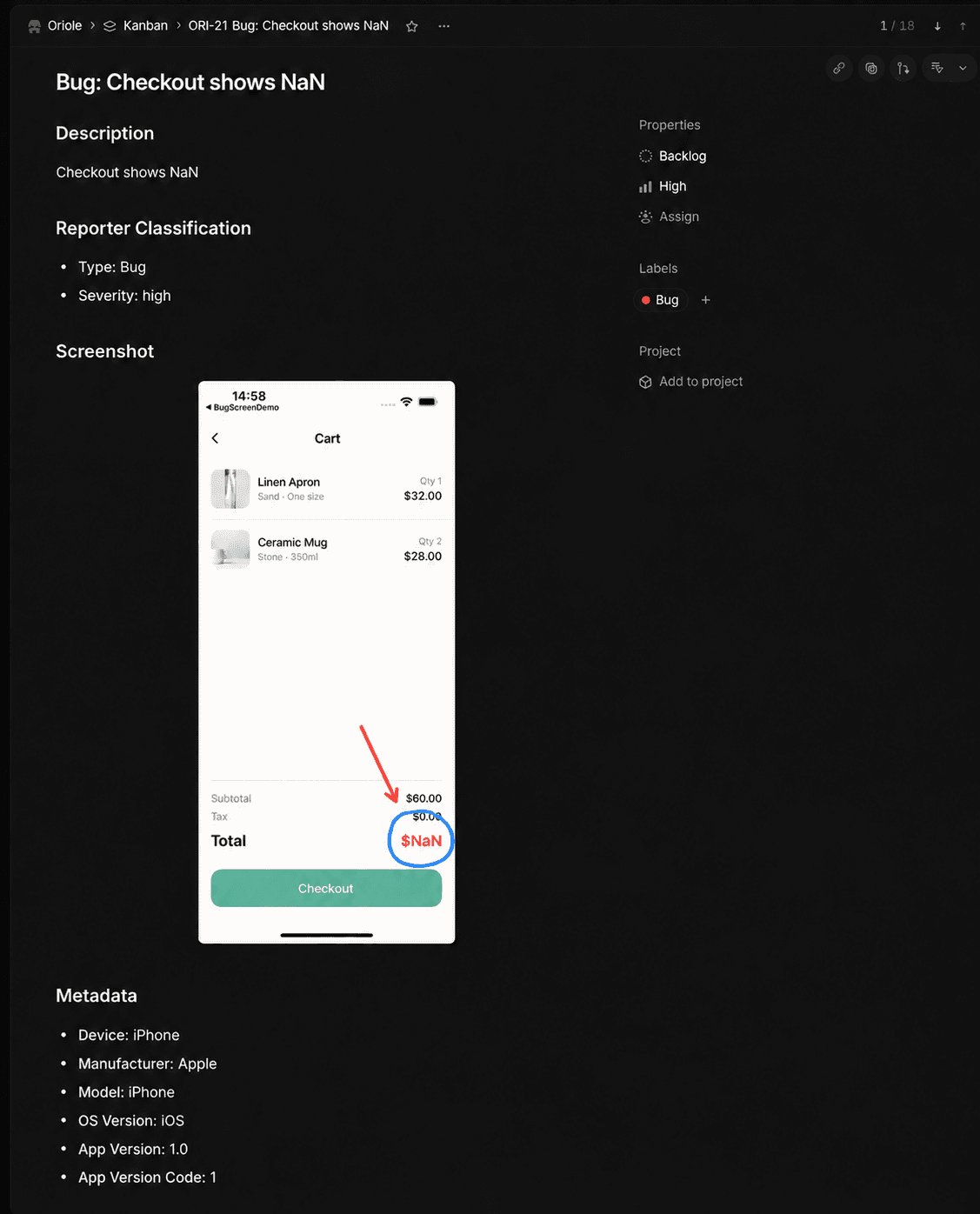
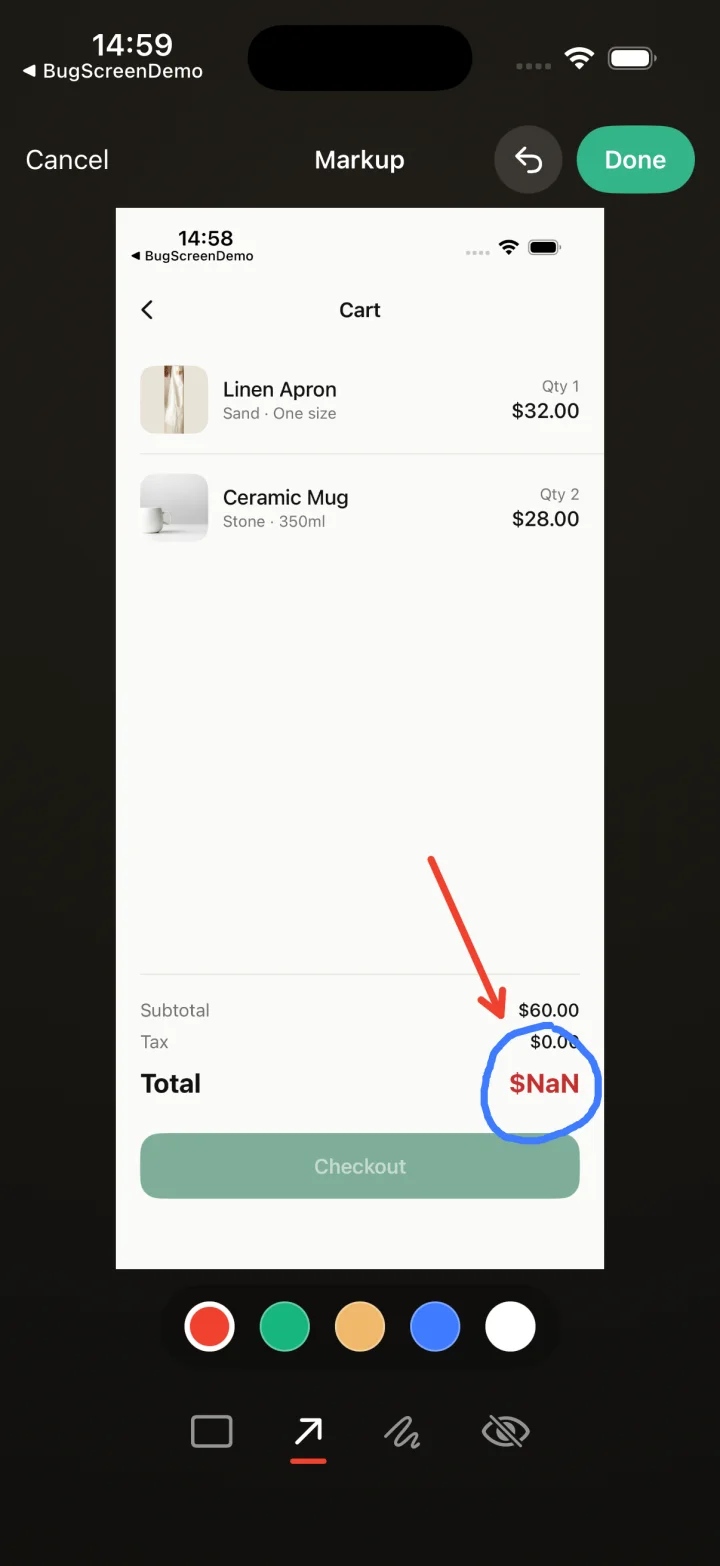
Screenshot to ticket, in three steps.
- Step 1
A tester takes a screenshot
The SDK detects the screenshot and opens a native report form with the image already attached — no shake gesture, no separate app.
- Step 2
Context is attached automatically
Device, OS, app version, locale and recent application logs are packaged with the report so engineers can reproduce it.
- Step 3
It reaches your team
The report is preserved in the private Report Inbox, and connected integrations can also create work in Jira, GitHub, ClickUp or Linear or post to Slack.
A Linear issue ready for triage
Instead of copying a screenshot into a message and rebuilding the report later, your team receives the description and device context in Linear, with screenshots and logs when available.
Connect a Linear workspace and choose the team that owns the app. Each submitted report becomes an issue in that team’s Triage inbox, or its first backlog state if Triage is off. The issue carries the report and device details; uploaded screenshots appear inline and an uploaded log file is linked from the description.
The right signals in Linear’s own fields
A tester can choose a report type and severity in the app. BugScreen maps high, medium and low severity to Linear priority, while an existing matching Bug, UI or Crash label marks the report type. Your team can sort incoming work without someone translating every report by hand.
One reporting flow across your apps
Testers report from inside an iOS, Android or React Native app without opening Linear. Configure destinations per app, and a report can also reach other connected trackers or Slack. The tester stays focused on the bug while the right team gets an issue to investigate.
Built for the mobile QA loop.
The human signal telemetry misses
Crash and error tools watch the software. BugScreen captures the visual, behavioural and UX bugs a tester notices and deliberately reports.
Mobile context, attached
Device, OS, app version and logs are packaged automatically so engineers can reproduce the issue fast.
Inbox and tracker delivery
Report Inbox preserves submissions, and integrations can also create work in Jira, GitHub, ClickUp or Linear or notify Slack.
Common questions
Do testers need Linear accounts?
No. An admin connects the Linear workspace to the BugScreen app and chooses a team. Testers submit reports inside the mobile app without signing in to Linear.
What does the Linear issue include?
It includes the tester’s description, device details and app details. When supplied and uploaded, screenshots appear inline and the log file is linked. If the tester chooses severity, it sets Linear priority; a matching existing label marks a chosen report type.
Where do new issues land?
Reports go to the chosen team’s Triage inbox. If that team has Triage turned off, they go to its first backlog state instead. You choose the team when you connect Linear.
Set up Linear
Read the Linear integration guideTry BugScreen on your app.
Screenshot → ticket in your issue tracker, with logs and device context. Free to start — no credit card.
Get started